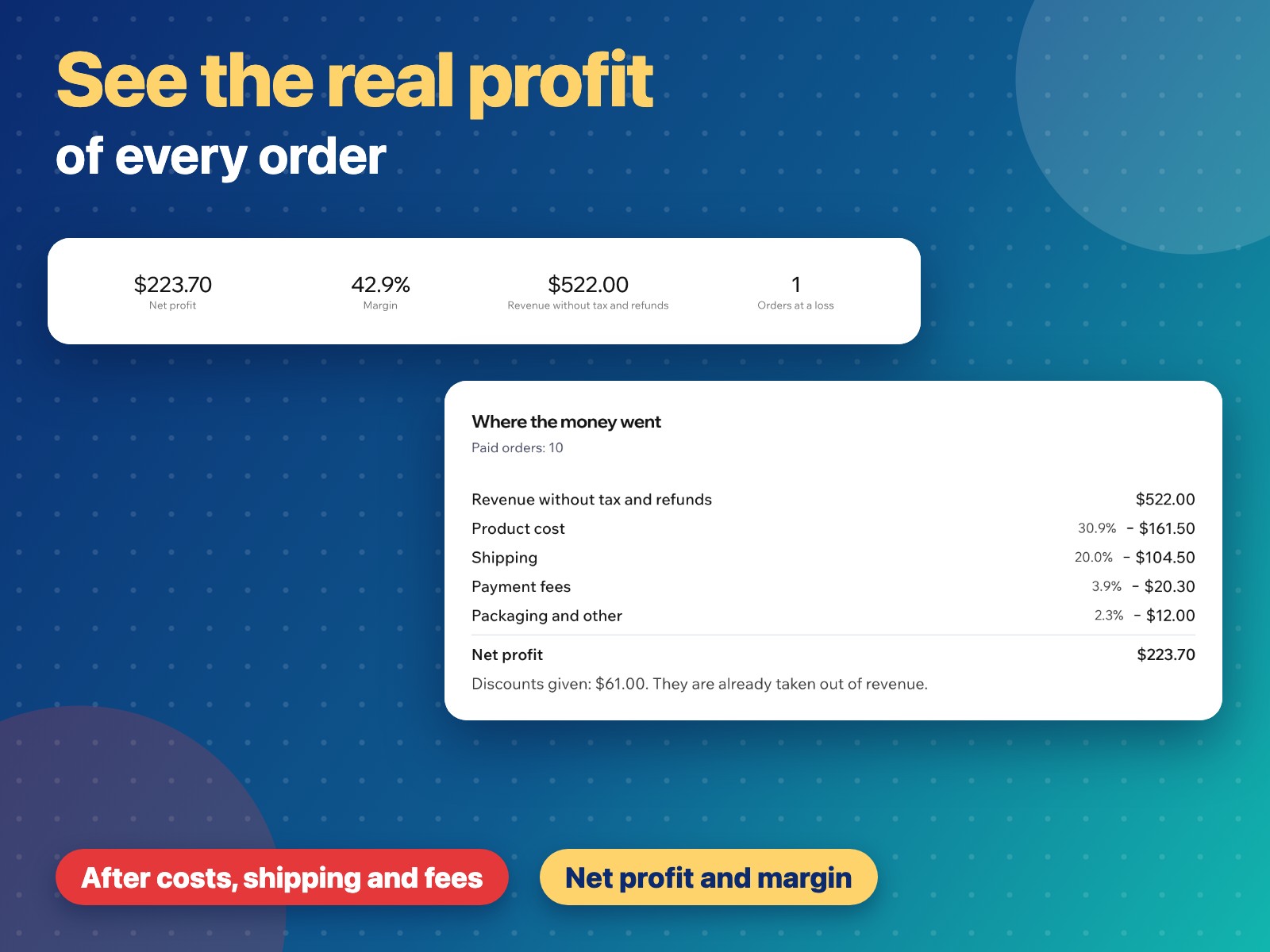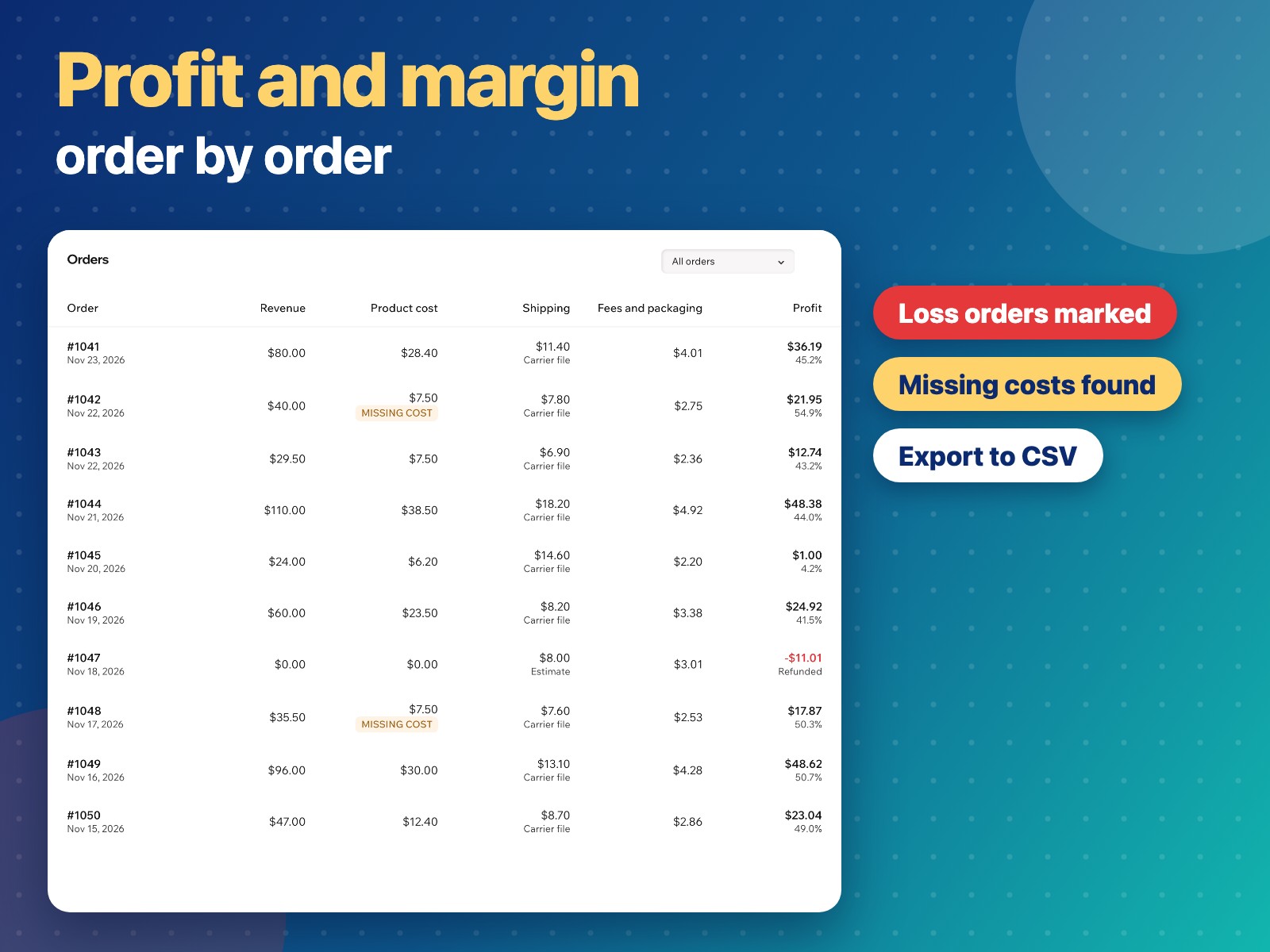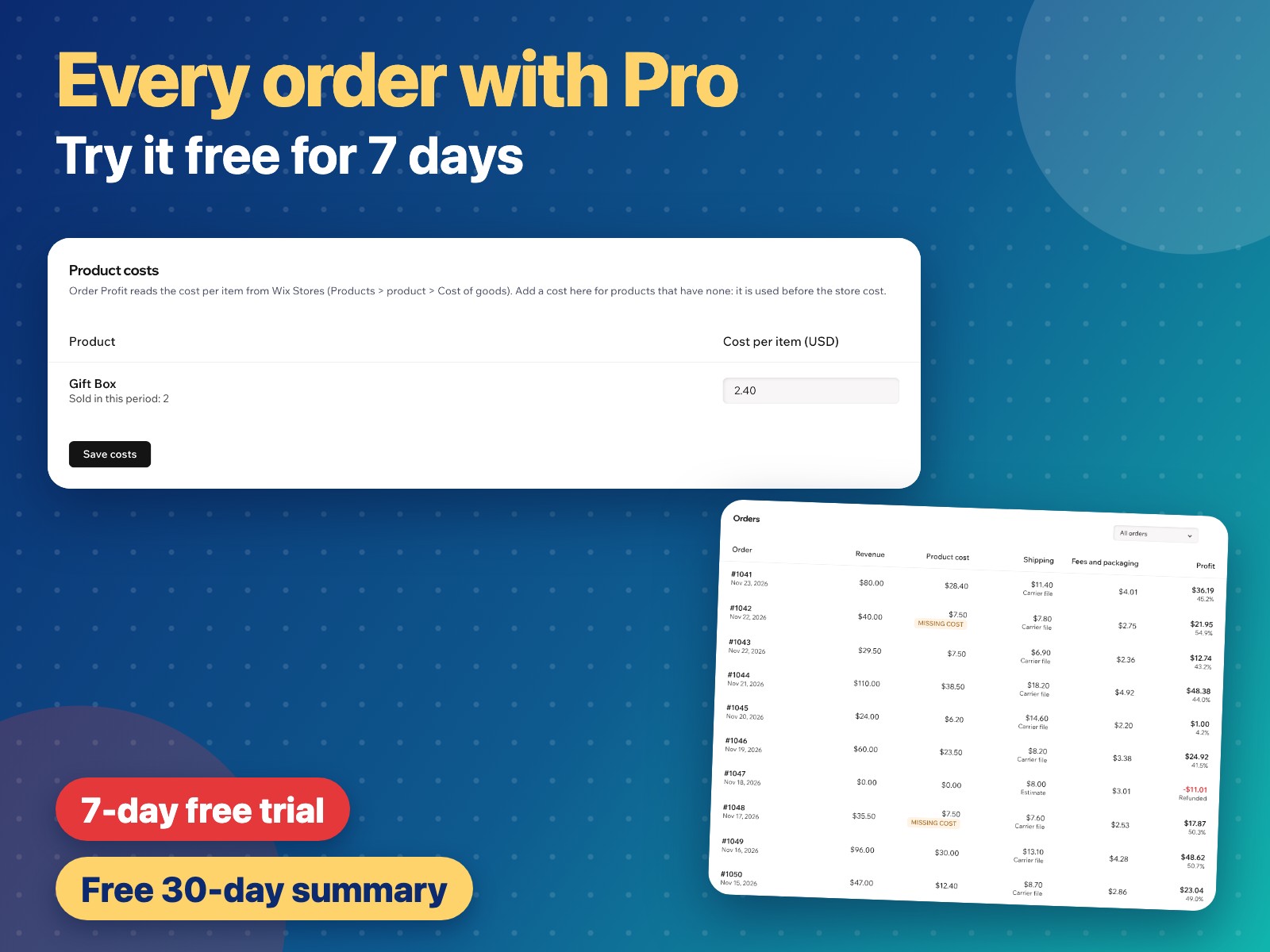
Net profit and margin of every order after costs, shipping, fees and refunds
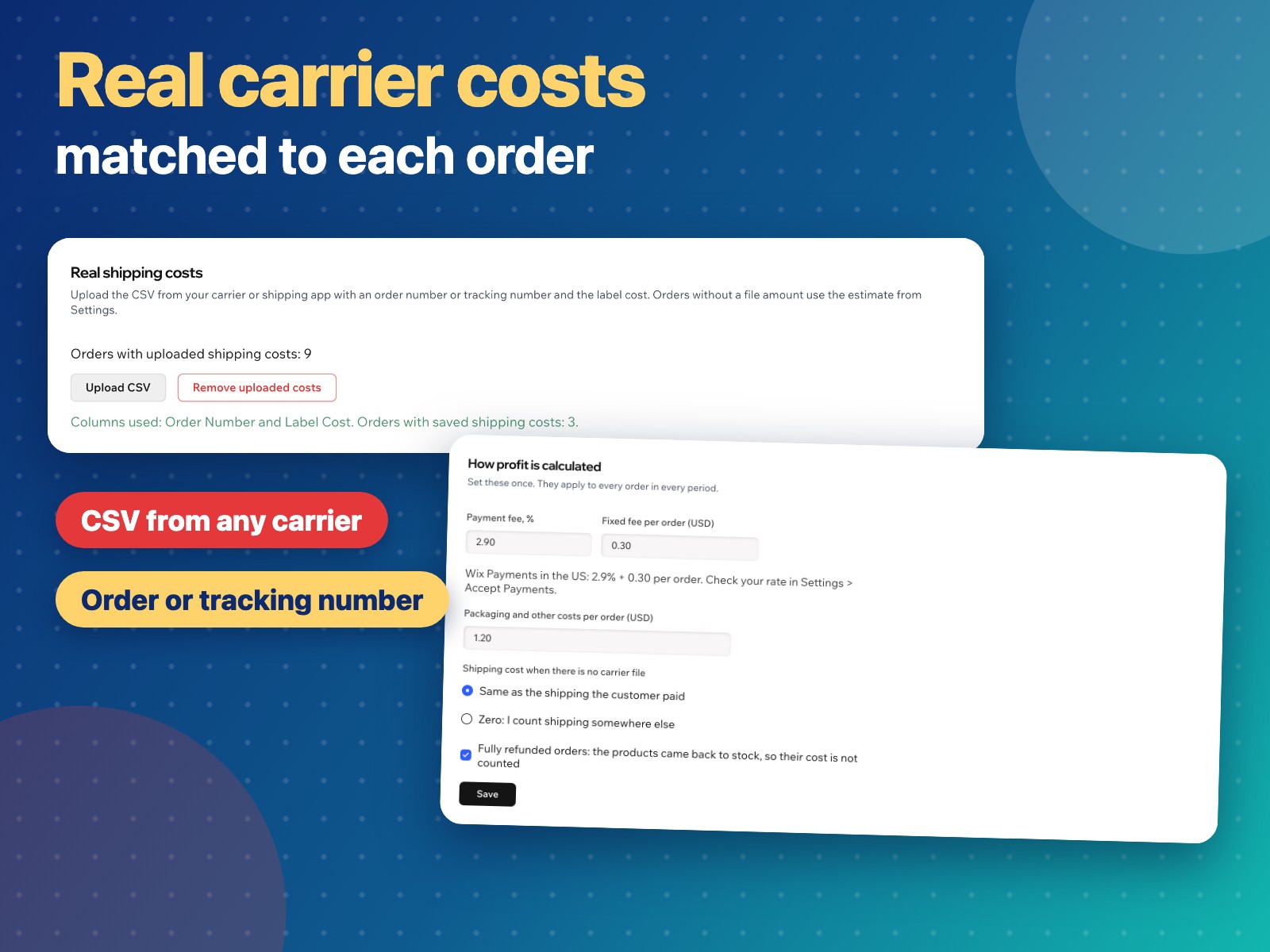
Match real carrier costs from a CSV by order number or tracking number
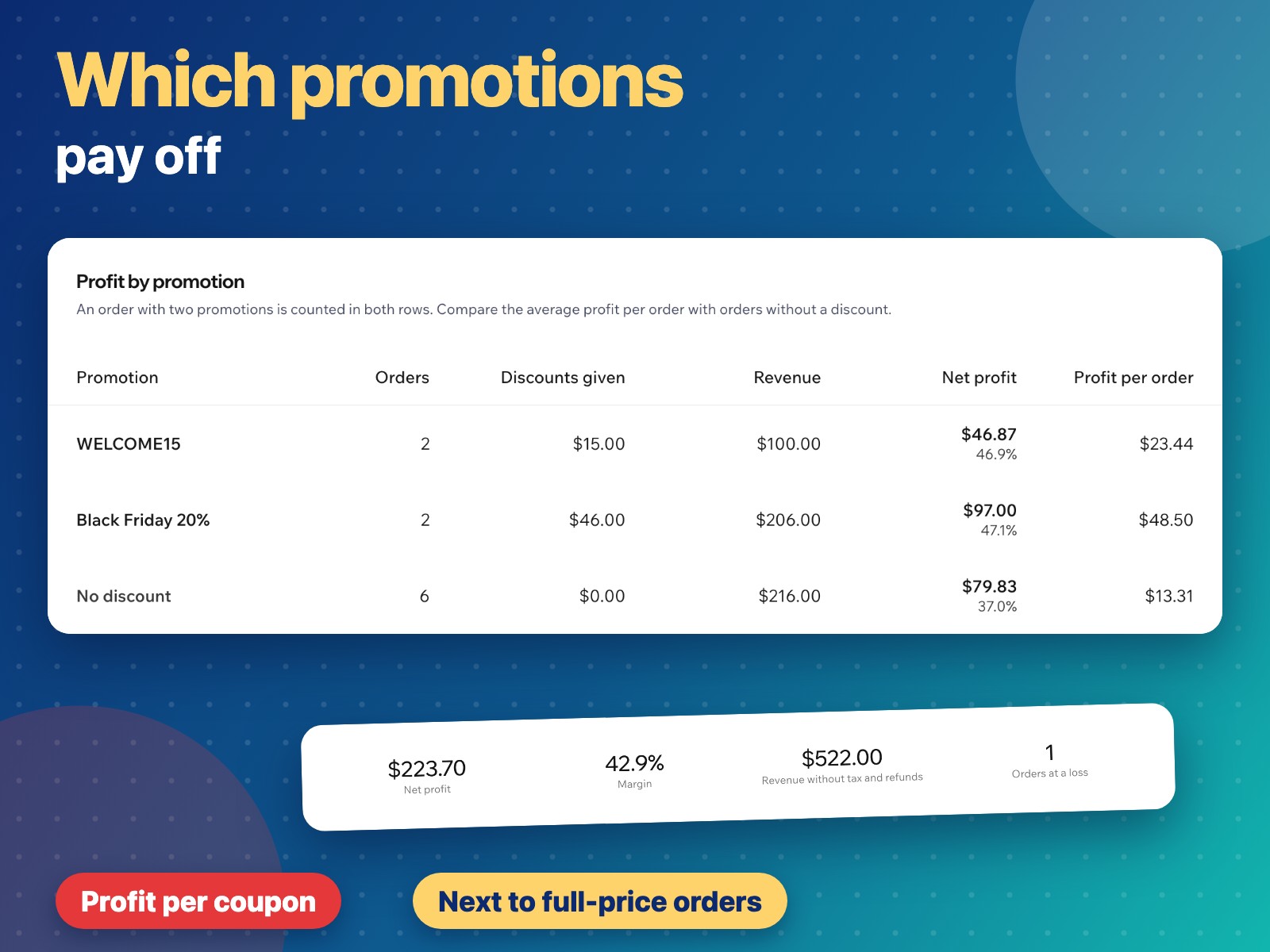
Profit by coupon and promotion, side by side with full-price orders
Find products without a cost and add it right in the dashboard
Sales reports show revenue, but not what an order earned once product cost, the carrier bill, payment fees and refunds are taken out. Order Profit: Margin Tracker works this out for every paid order in the period you pick: what the customer paid without tax and refunds, minus product cost, shipping, payment fees and packaging. Orders that lost money are marked, and a summary shows where the money went.
Product costs come from your store catalog. Products without a cost are listed, and you can add the cost right in the app without changing the catalog. For shipping, upload the CSV from your carrier or shipping app with an order number or tracking number column and a cost column, and each charge is matched to its order. Without a file, shipping cost is what the customer paid for shipping, or zero.
The promotions table puts each coupon and discount next to orders without one, with orders, revenue, discount, profit and margin, so you can see which offers pay off.
Set your payment fee, fixed fee and packaging cost in Settings. Profit uses the current product cost. Export the order table to CSV for your accountant. The app reads orders and products and never changes them.