Wix App Market Logo

wix logo


Trending Topics
쇼핑카트
예약 관리
이벤트
팝업
Hide Out of Stock Products logo

Hide Out of Stock Products

-
Sold-out products hide and return on restock
후기 0개
무료 플랜 가능

Hide Out of Stock Products 개요

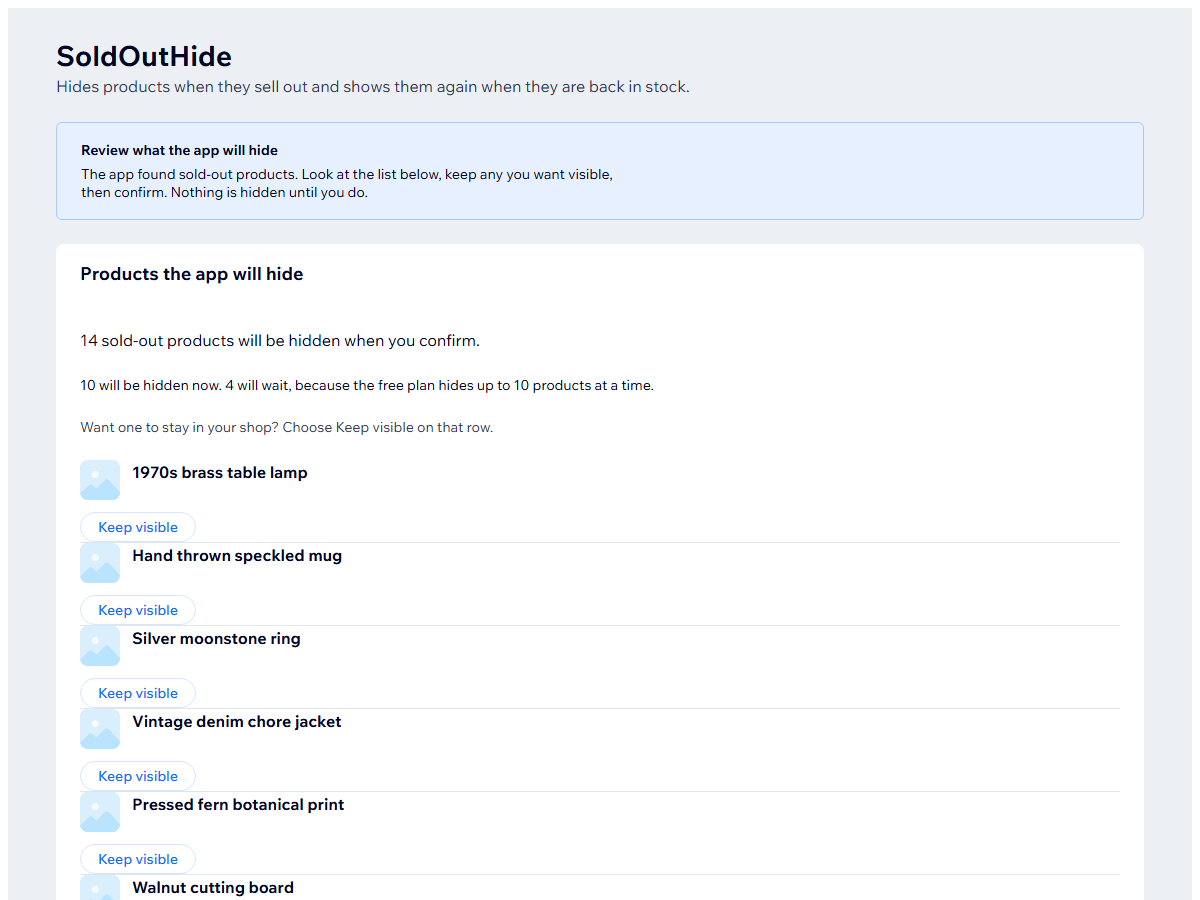
  • Hides a product from your shop once it is sold out
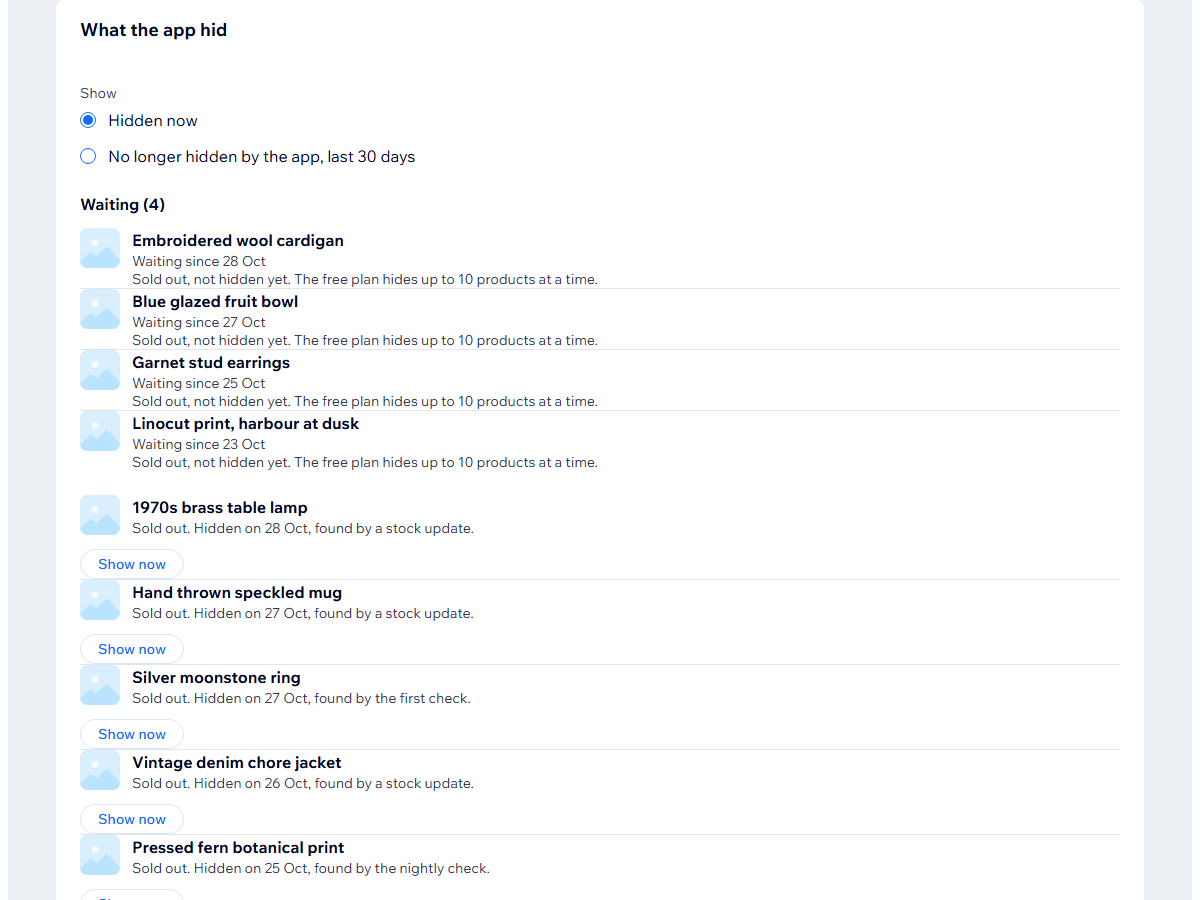
  • Shows it again when stock comes back
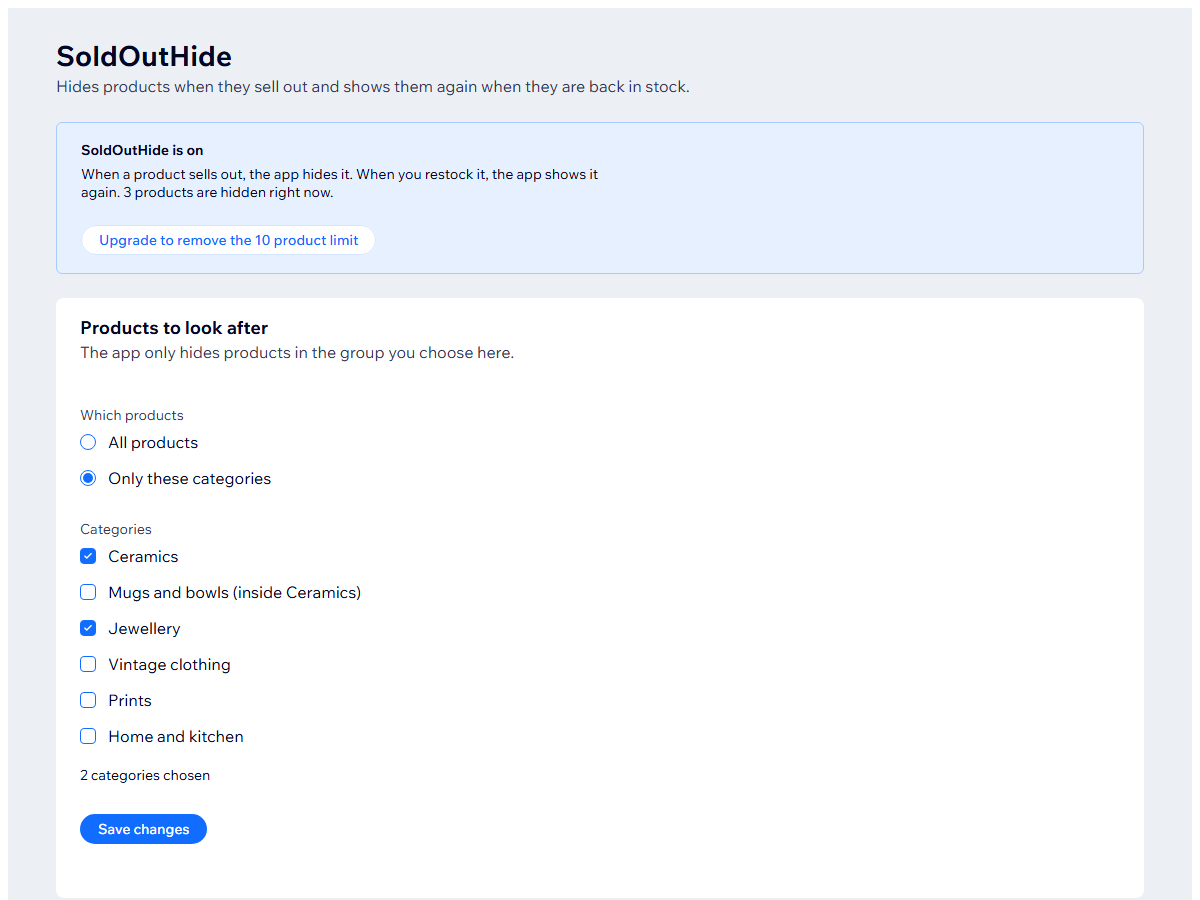
  • Hide everything or only the categories you choose
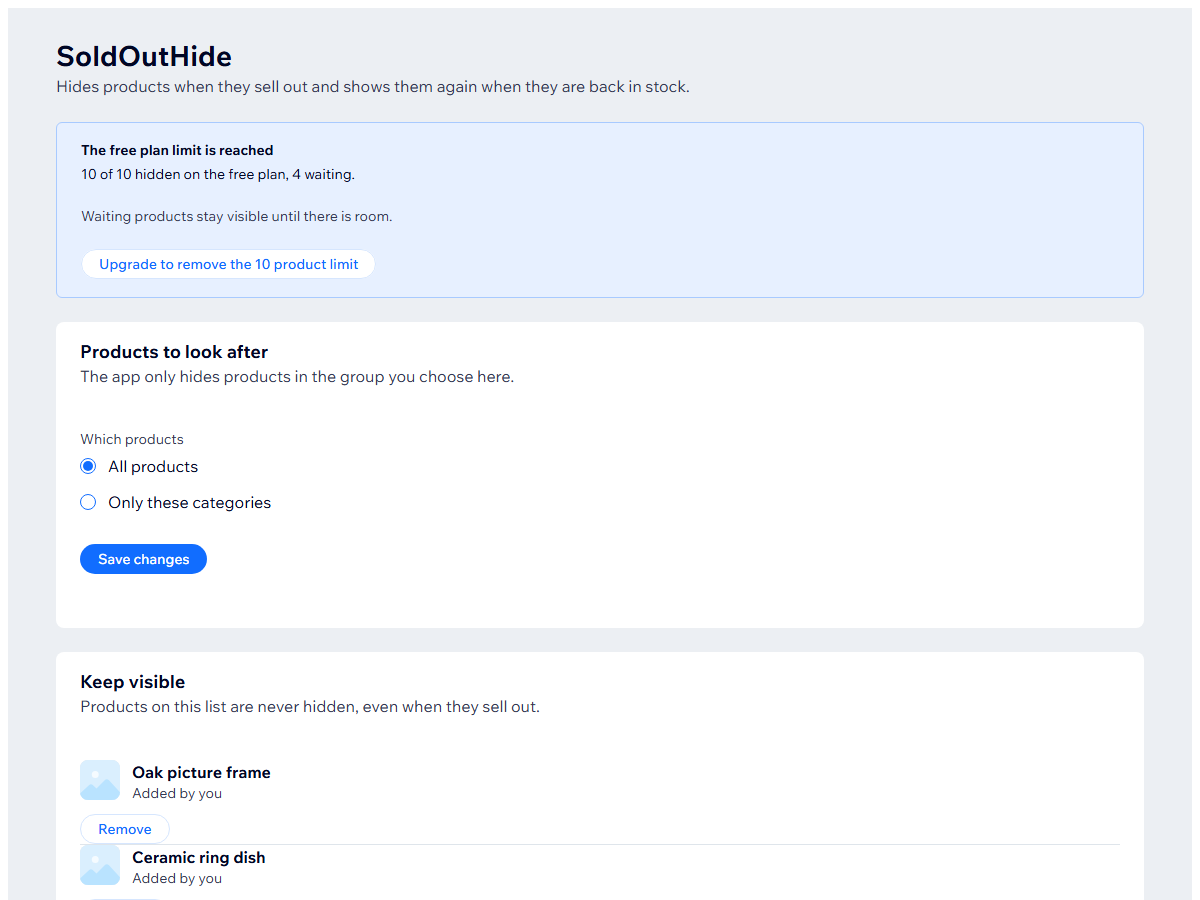
  • A keep-visible list for products that should always stay
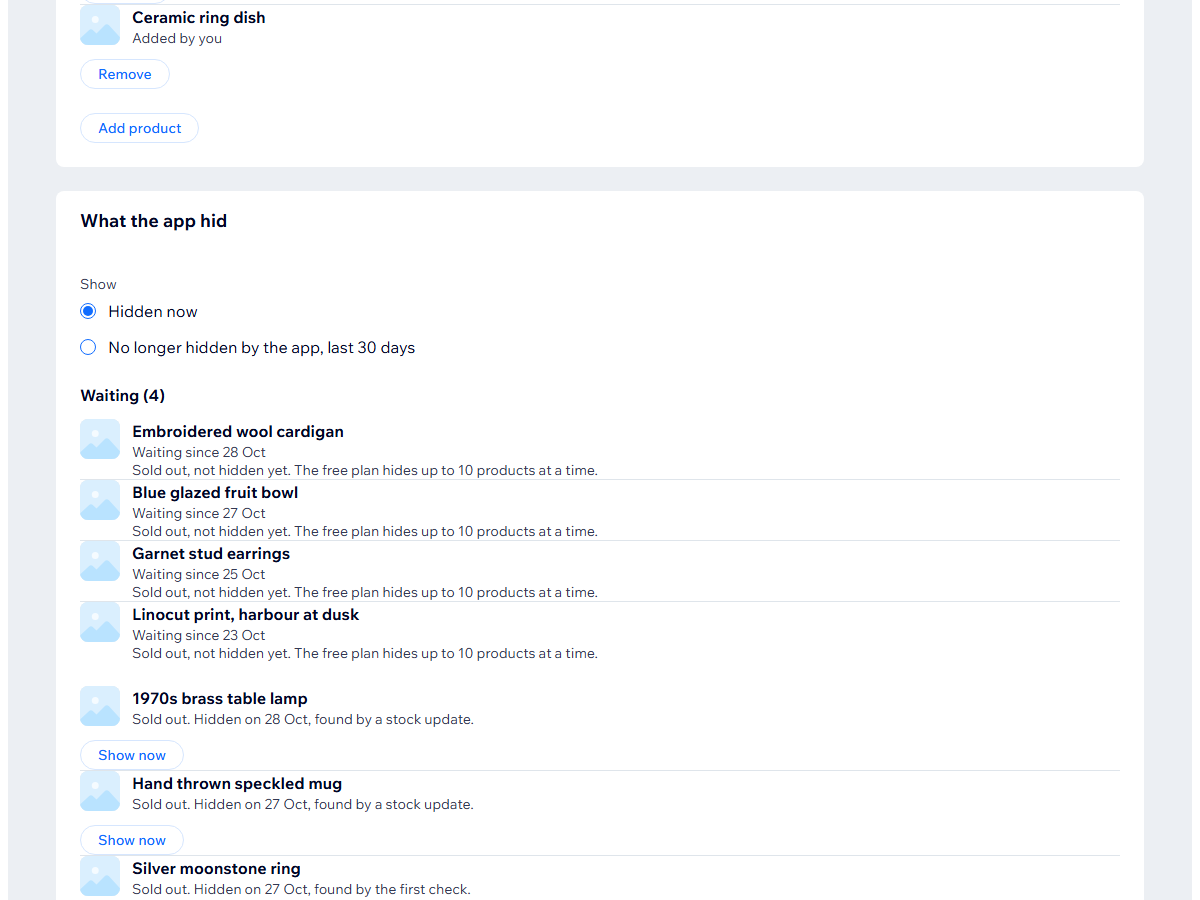
When your last piece sells, its page is still in your shop. Hide Out of Stock Products hides a product once it sells out, so it leaves your shop, its category and search, and shows again on restock. A product you hid yourself before it sold out stays hidden. It suits vintage, original art, handmade jewellery, ceramics, streetwear drops, antiques, plant shops and small-batch food sellers. Setup is four steps: install, pick a scope (all products or chosen categories, plus a keep-visible list), check the preview, and confirm. Nothing changes until you confirm. A hidden product's own link shows your shop's not-found page. After a restock the product is back, but its own link can show the not-found page for an hour or more because of caching. Uninstalling does not bring hidden products back, so use Show everything before you uninstall. No buyer data is stored, only product references, your settings and timestamps. All of it is deleted 30 days after uninstall. The free plan hides up to 10 products at a time and the rest wait their turn. The paid plan has no limit. Categories are free on both.
앱 지원 국가
해당 앱은 국가와 관계없이 이용 가능합니다.
앱 언어
영어
사이트에 표시된 모든 앱 콘텐츠를 원하는 언어로 번역할 수 있습니다.
카테고리

평점 및 후기

아직 등록된 후기가 없습니다. 가장 먼저 후기를 남겨보세요.

요금 및 플랜

Basic 플랜

무료

Hides up to 10 products at a time
Waiting products hide as room opens
Categories and a keep-visible list
Pro 플랜
$

4

90
/월
No limit on hidden products
Hides every sold-out product
Shows each one again on restock
*가격은 USD 기준입니다.

2억 3천만 명 이상의 Wix 사용자를 위한 앱을 제작 및 출시하세요.