Wix App Market Logo

wix logo


Trending Topics
쇼핑카트
예약 관리
이벤트
팝업
Size Chart: Fit Guide logo

Size Chart: Fit Guide

-
A fit table on every product page
후기 0개
무료 플랜 가능

Size Chart: Fit Guide 개요

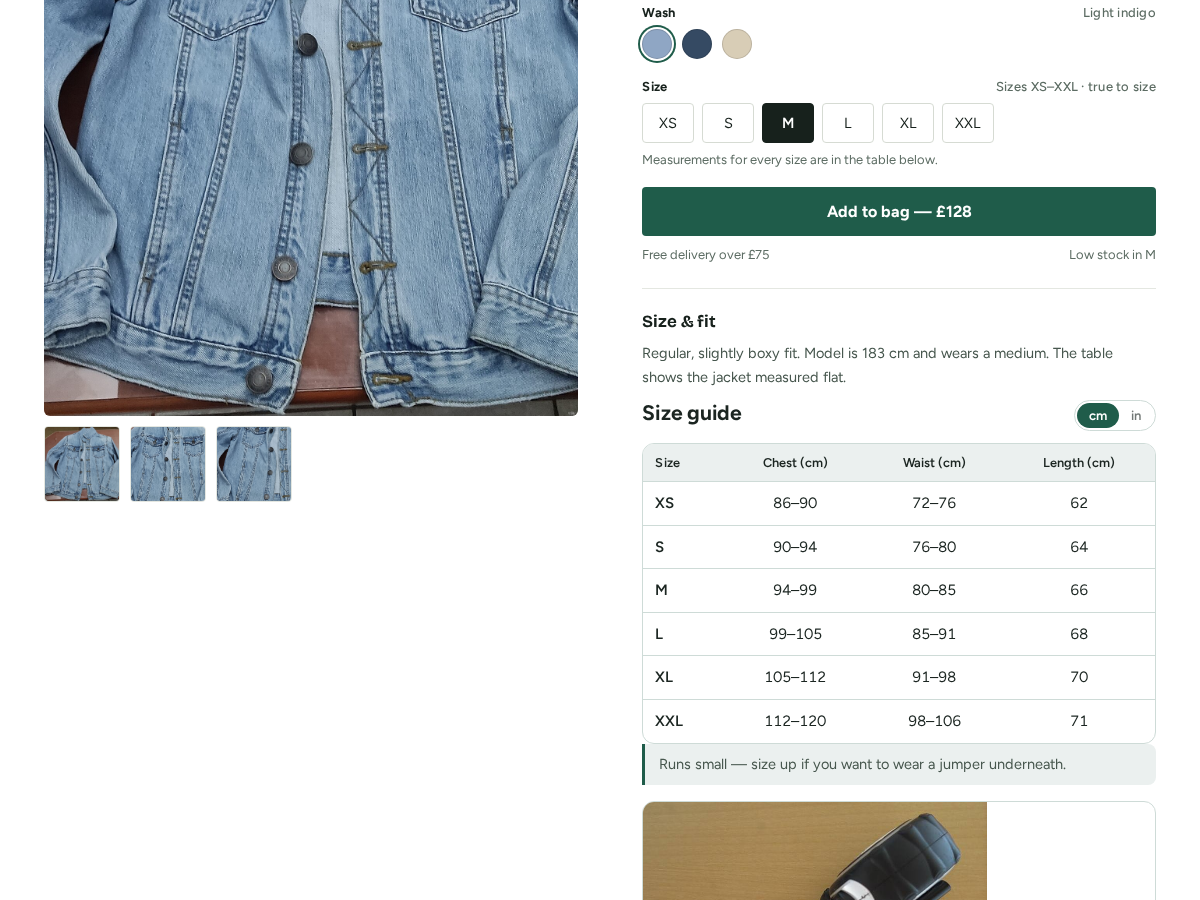
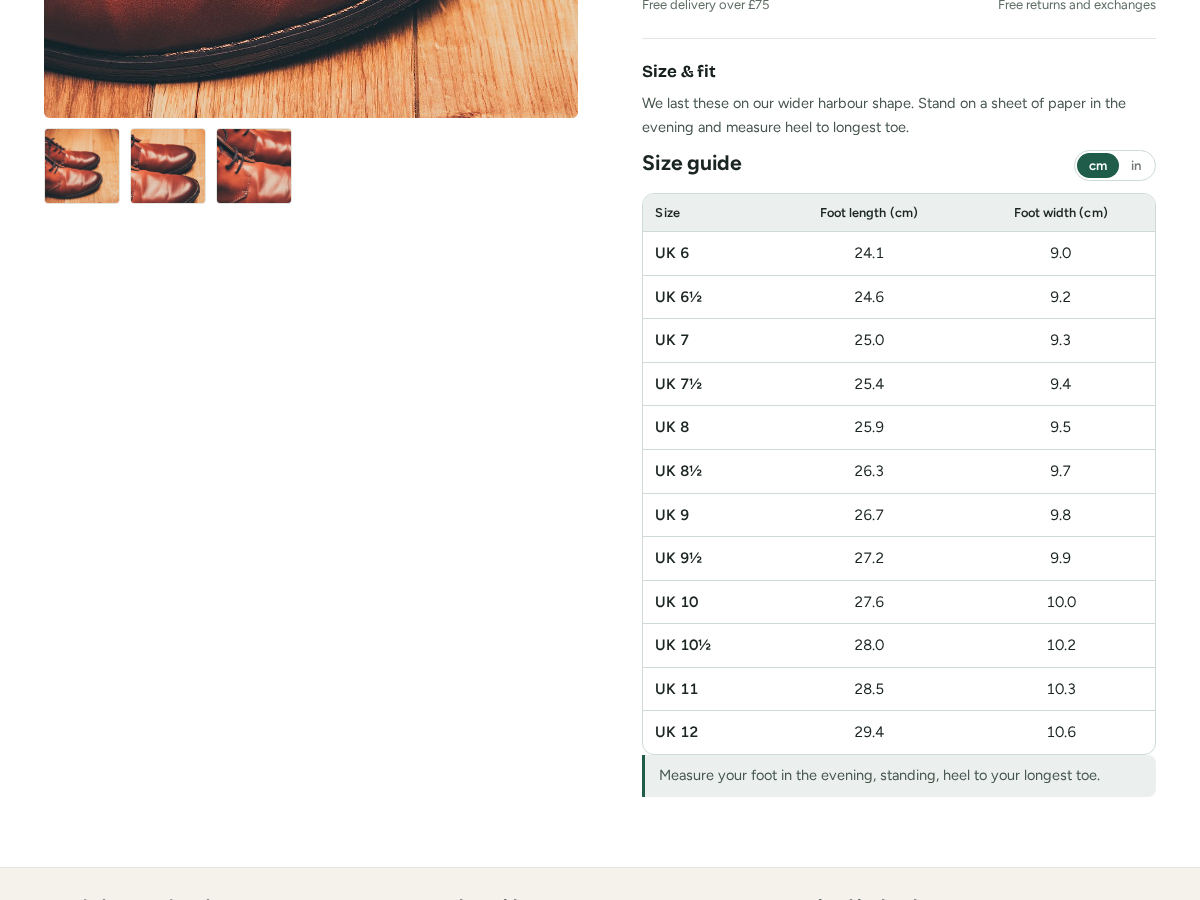
  • Your own measurements, in cm or inches
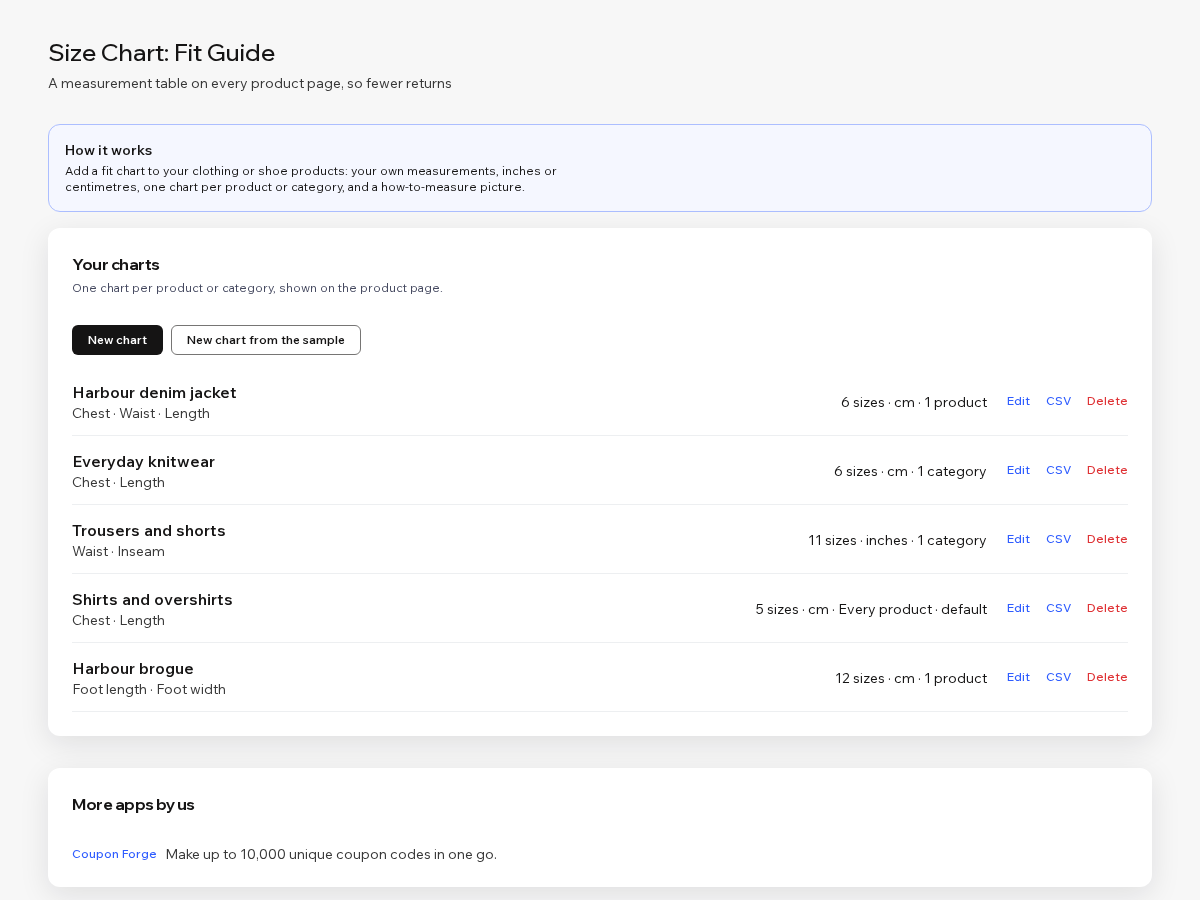
  • One chart per product or per category
  • A runs-small note and a how-to-measure picture
  • Import sizes from a spreadsheet (Premium)
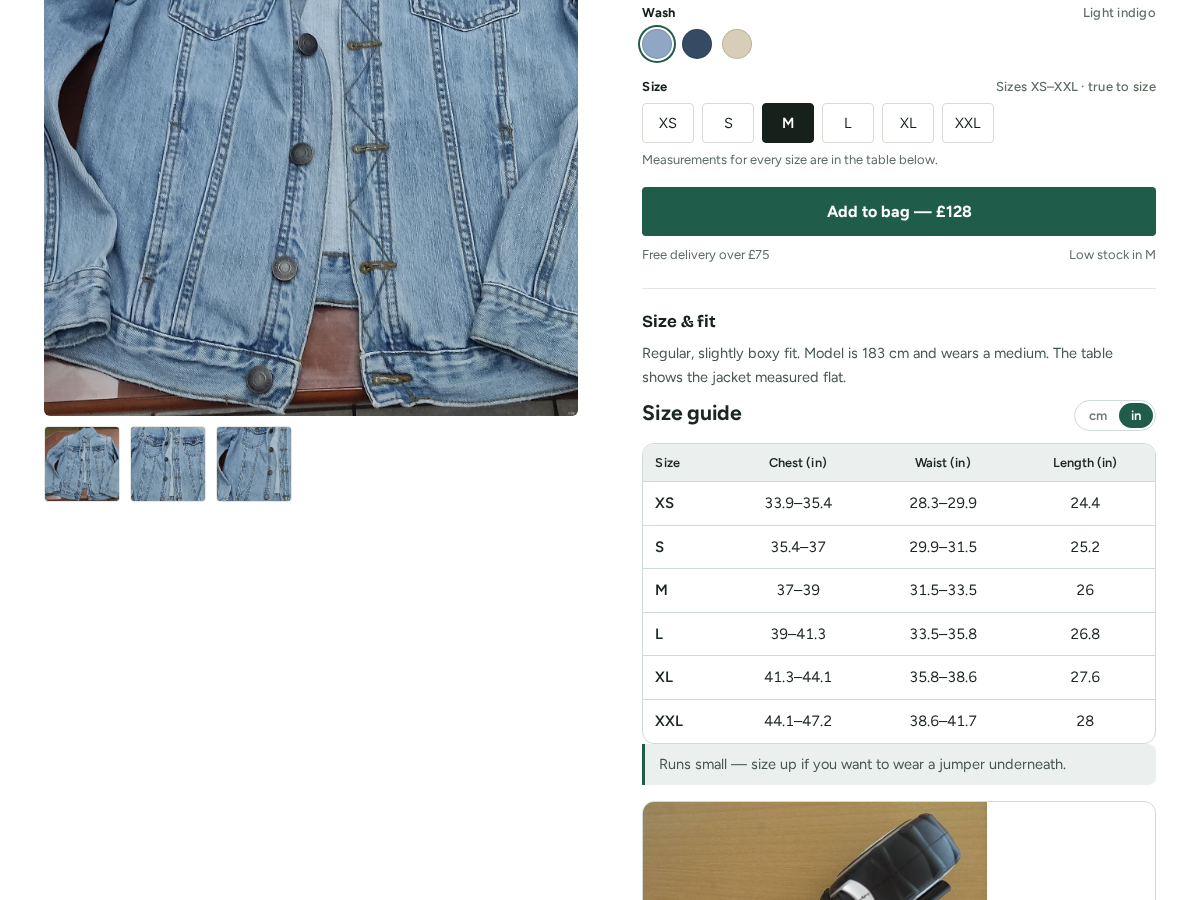
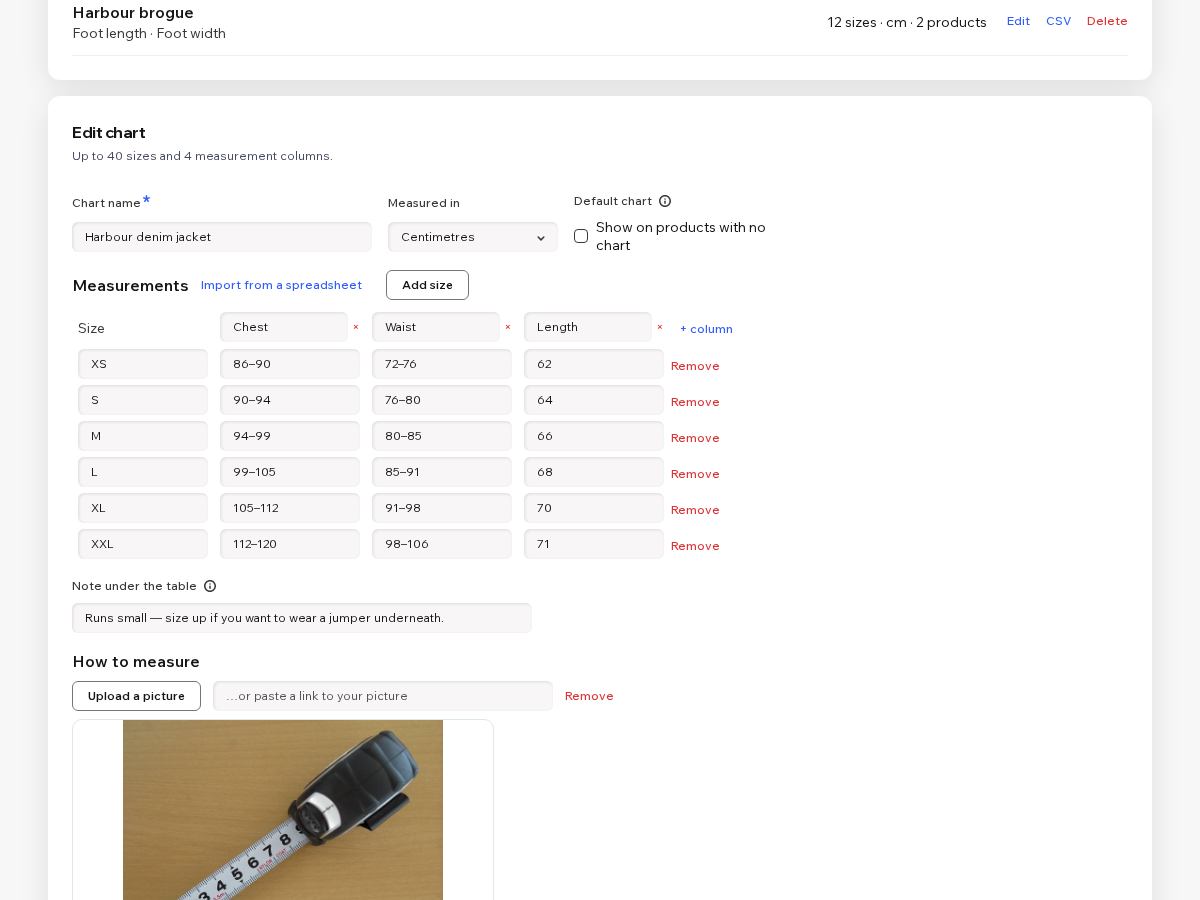
Clothing and shoe sizes differ between brands, and shoppers cannot try anything on. A size chart on the product page answers the question that stops a sale, "which size am I?", and stops a return later. This app puts your measurements in a tidy table on every product page. You type the chart once in the dashboard: a name, centimetres or inches, up to four measurement columns (chest, waist, length, foot length) and as many size rows as you need. Add a line such as "Runs small, size up for a jumper underneath", and a picture that shows shoppers how to measure. If the numbers are already in a spreadsheet, paste them in. A chart per product or category means a jacket shows its own chest and length table while shoes show foot length. Products you have not assigned get the default chart. The table follows the look of your site and stays a readable table rather than a picture, so it works on a phone. Shoppers can switch between centimetres and inches with one tap. Free: one chart of up to eight sizes on every product, with a small credit link. Premium: many charts, a chart per product or category, the inch switch, the how-to-measure picture, spreadsheet import, and no credit link.
앱 지원 국가
해당 앱은 국가와 관계없이 이용 가능합니다.
앱 언어
영어

평점 및 후기

아직 등록된 후기가 없습니다. 가장 먼저 후기를 남겨보세요.

요금 및 플랜

Basic 플랜

무료

One chart on every product page
Up to 8 sizes in the table
Your own measurement columns
Small credit link under the table
Premium 플랜
$

1

60
/월
$320
Up to 50 charts, 40 sizes each
A chart for every product or category
cm and inches switch for shoppers
How-to-measure picture and spreadsheet import
*가격은 USD 기준입니다.

2억 3천만 명 이상의 Wix 사용자를 위한 앱을 제작 및 출시하세요.