

쇼핑카트
예약 관리
이벤트
팝업

Enrollment: School Admissions
-
Your school's programs, spots left and waitlist
후기 0개
무료 플랜 가능

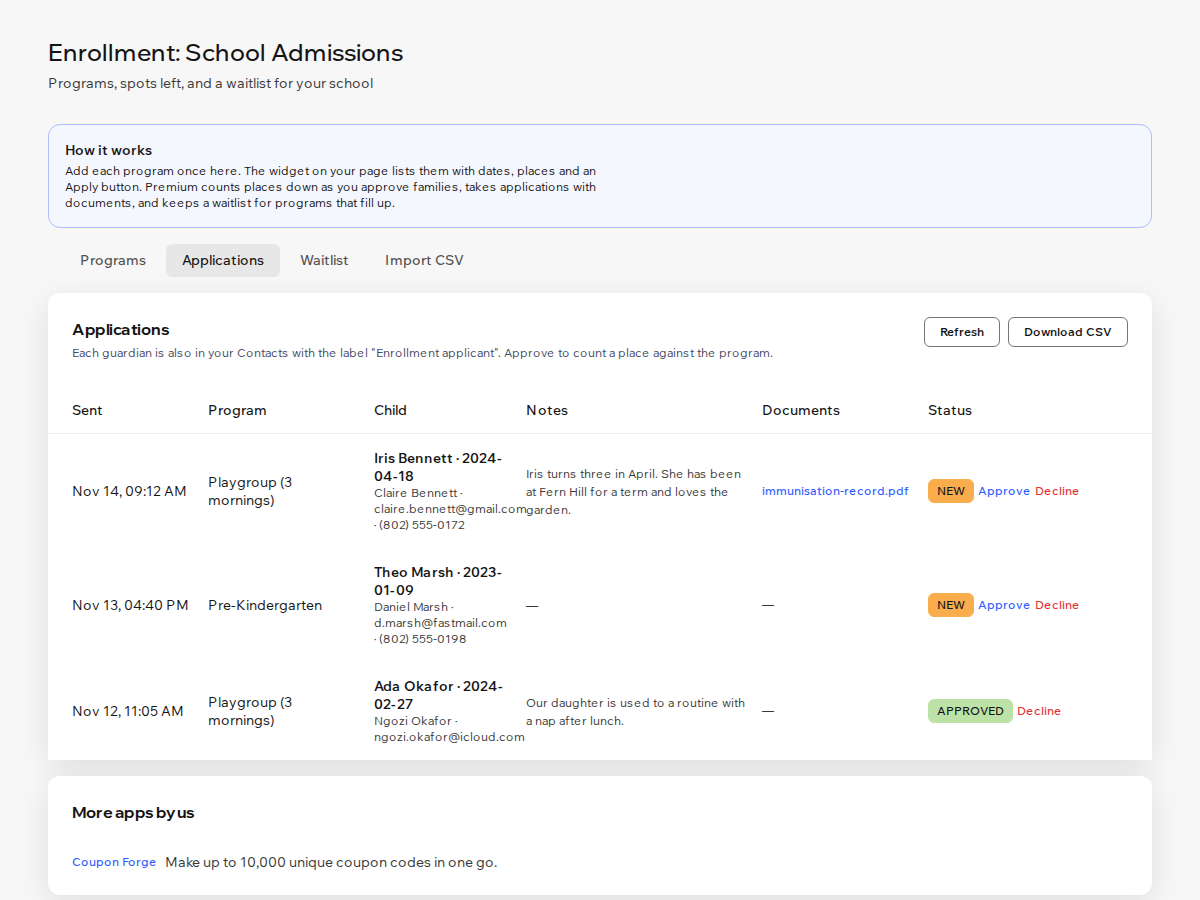
Enrollment: School Admissions 개요
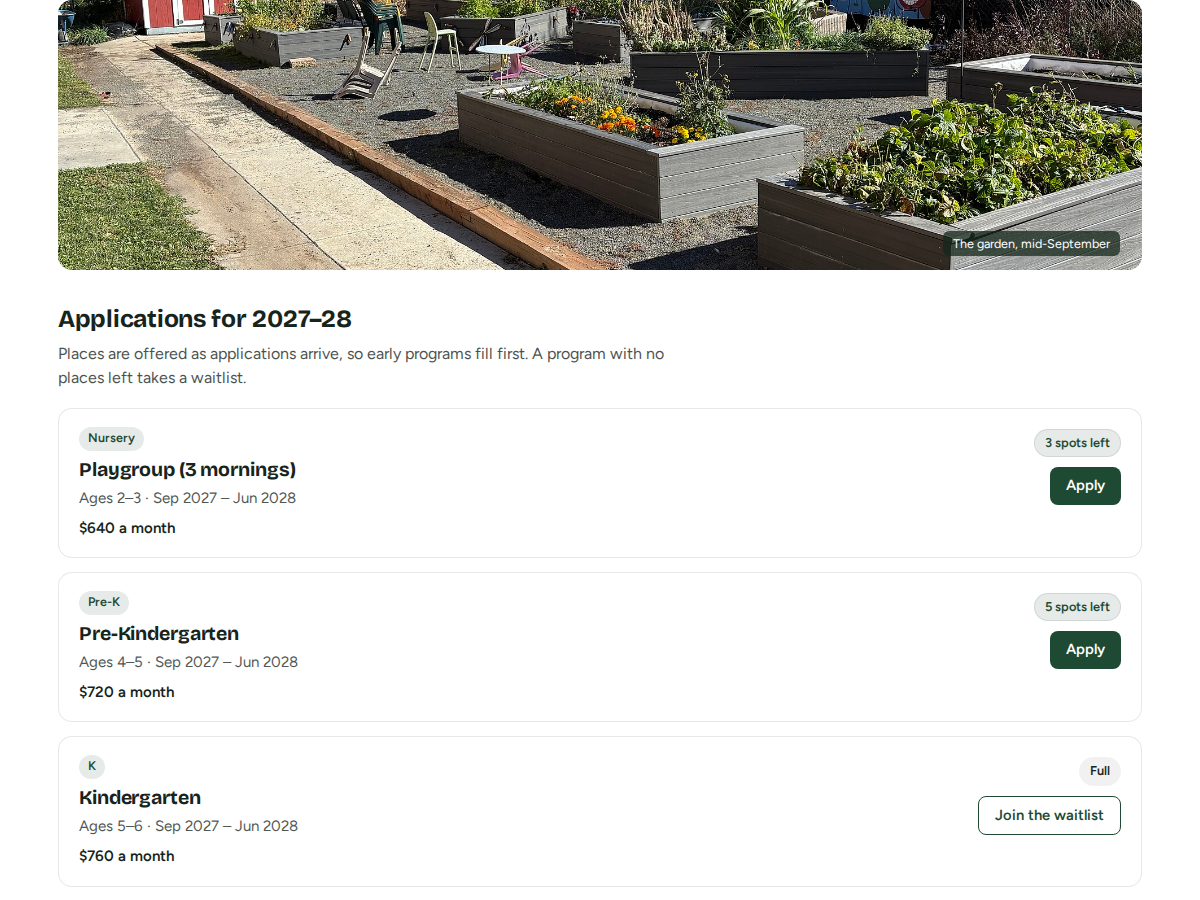
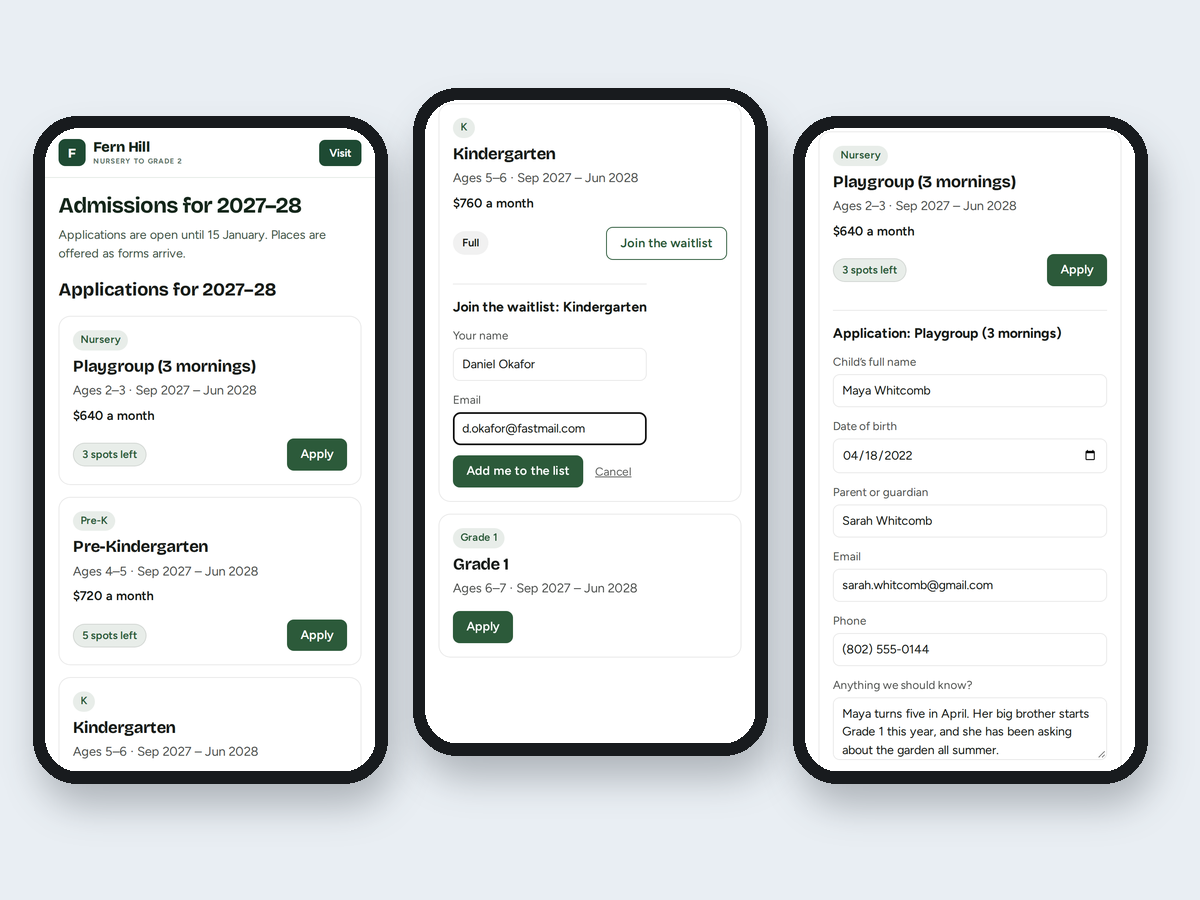
- Programs with grade bands and term dates
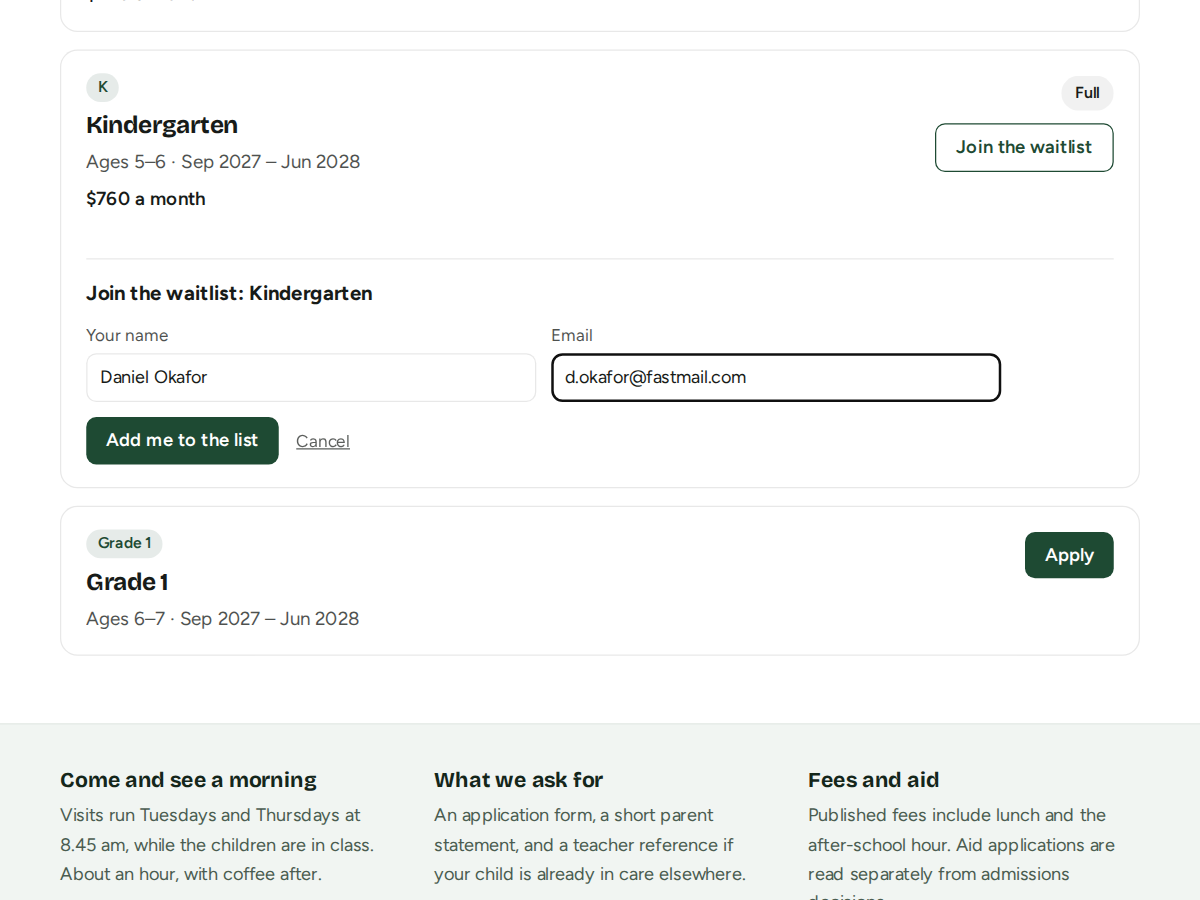
- Spots left, Full and a waitlist for each program
- Apply button to your own form page or email
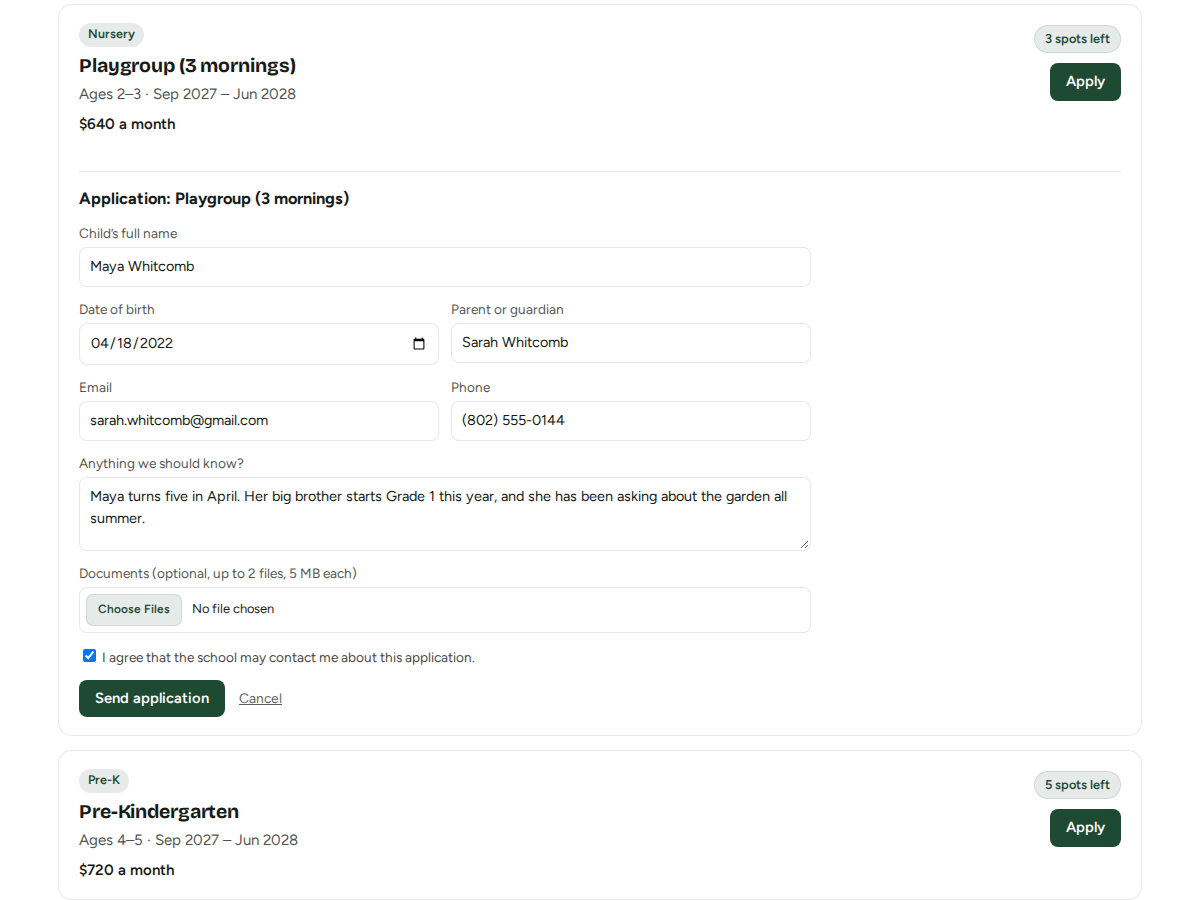
- Application form, statuses and CSV (Premium)
평점 및 후기
아직 등록된 후기가 없습니다. 가장 먼저 후기를 남겨보세요.요금 및 플랜
Basic 플랜
무료
One program on your site
Spots left badge you set yourself
Apply button to your own form page or email
Small credit link
Premium 플랜
$
2
40
/월
$480
Every program, with places counted fro
Full programs take a waitlist in joini
Built-in application form with up to 2
Applications, statuses, CSV and no cre
*가격은 USD 기준입니다.