Wix App Market Logo

wix logo


Trending Topics
쇼핑카트
예약 관리
이벤트
팝업
Blog Backup & Export logo

Blog Backup & Export

-
Download all blog posts as Markdown or HTML
후기 0개
무료 플랜 가능

Blog Backup & Export 개요

  • Every post as its own Markdown, HTML or JSON file
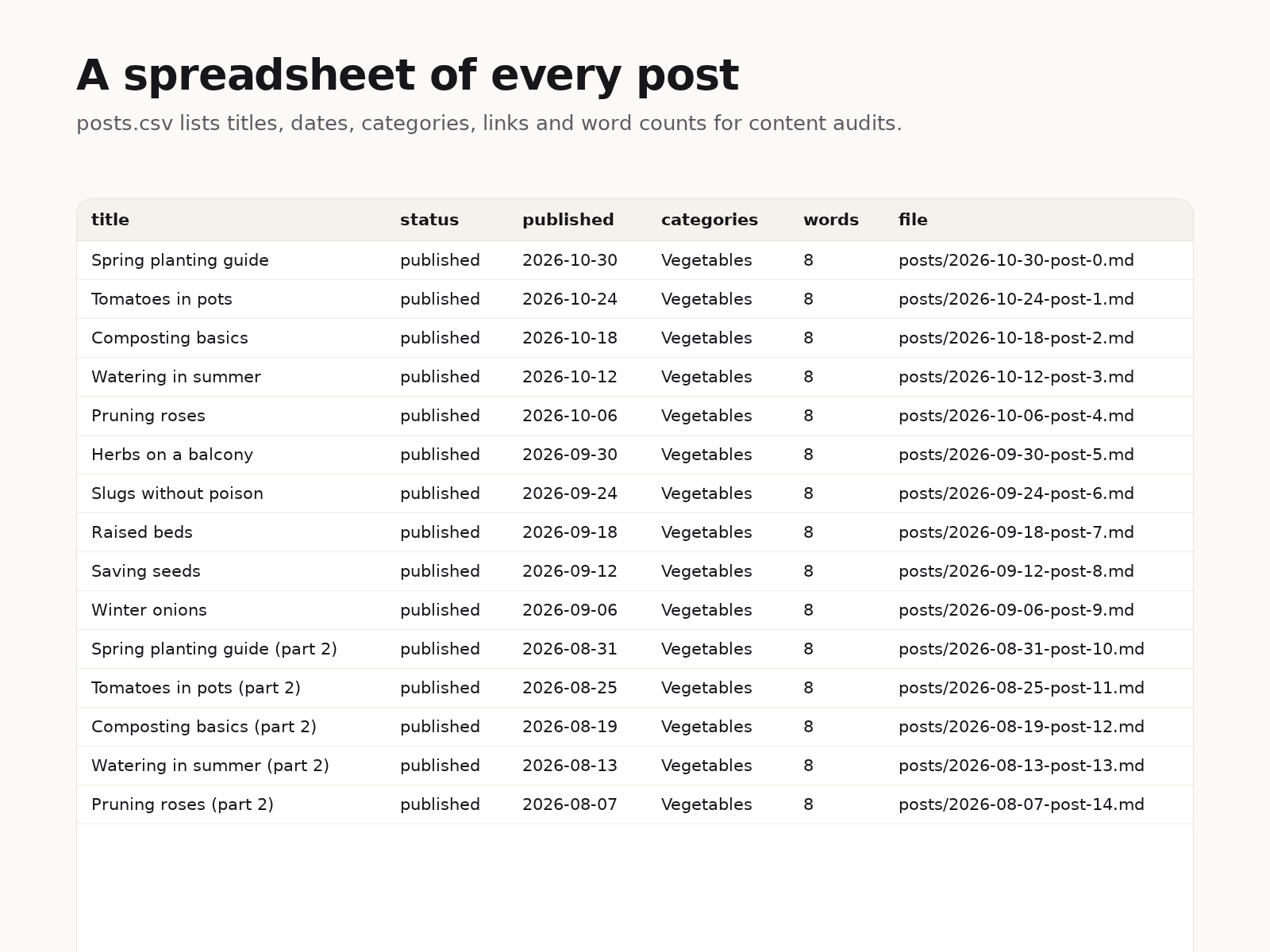
  • A spreadsheet of all posts with dates, links and word counts
  • Titles, dates, categories and tags kept in each file
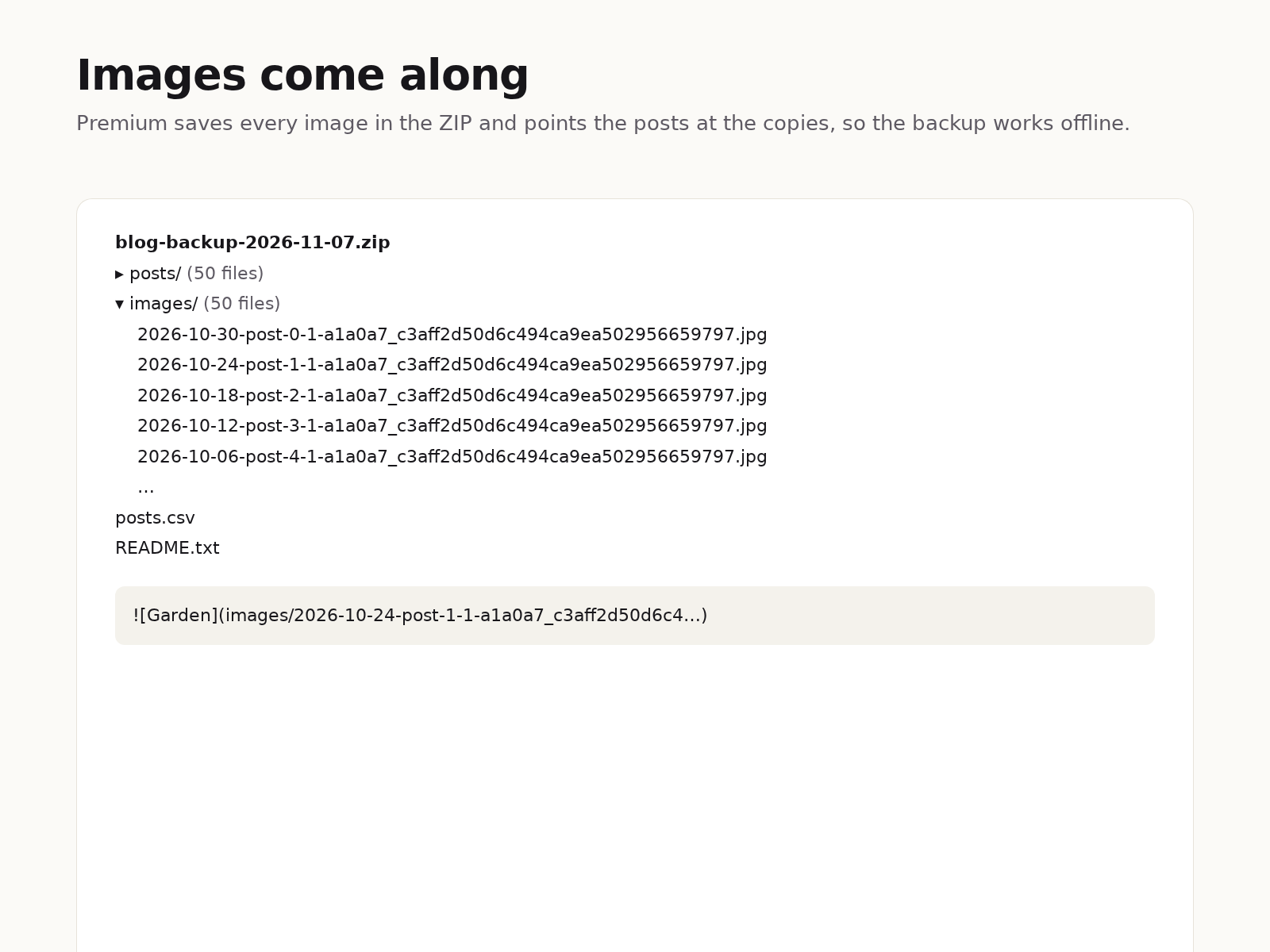
  • Images saved inside the ZIP so the backup works offline
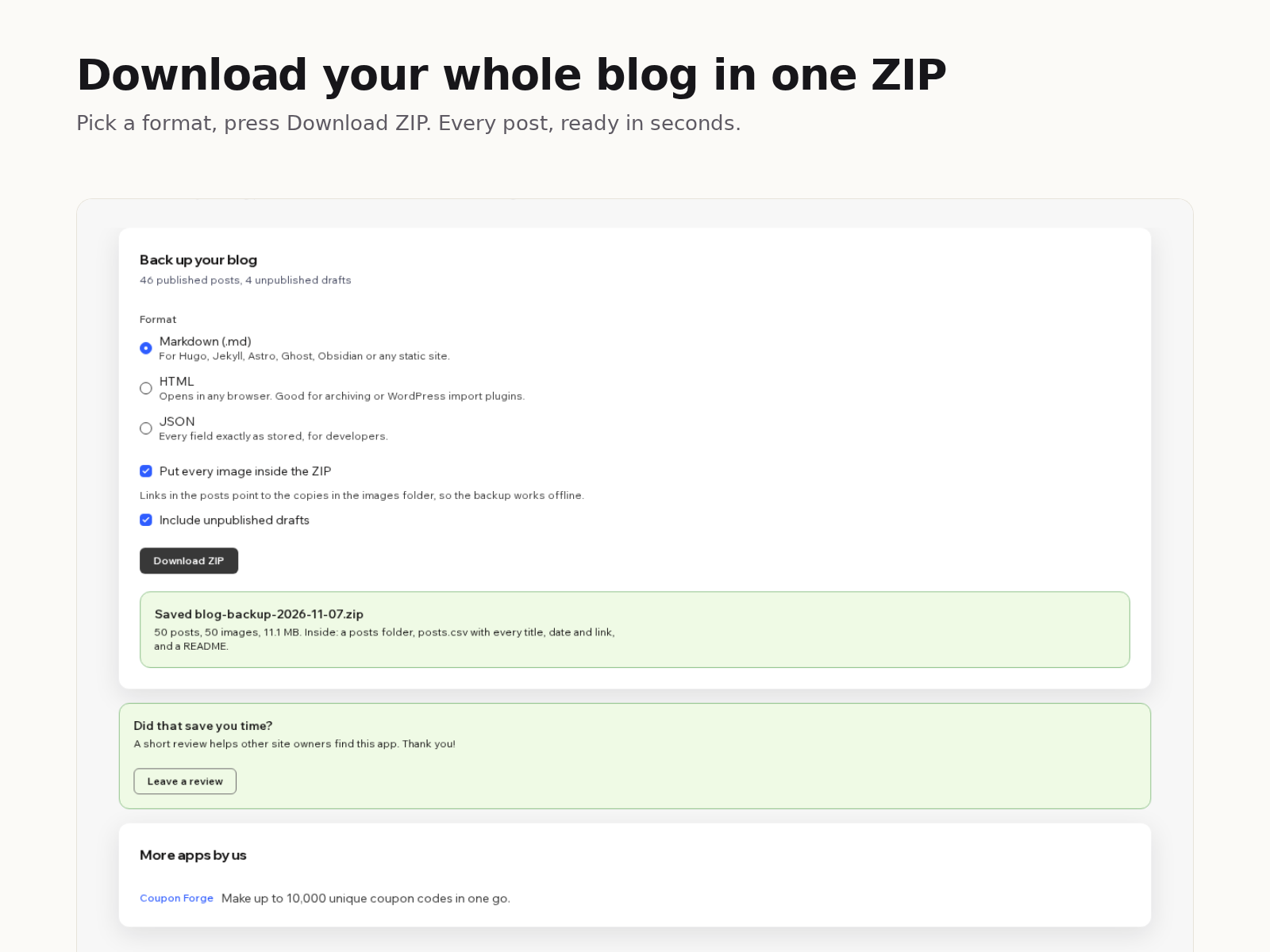
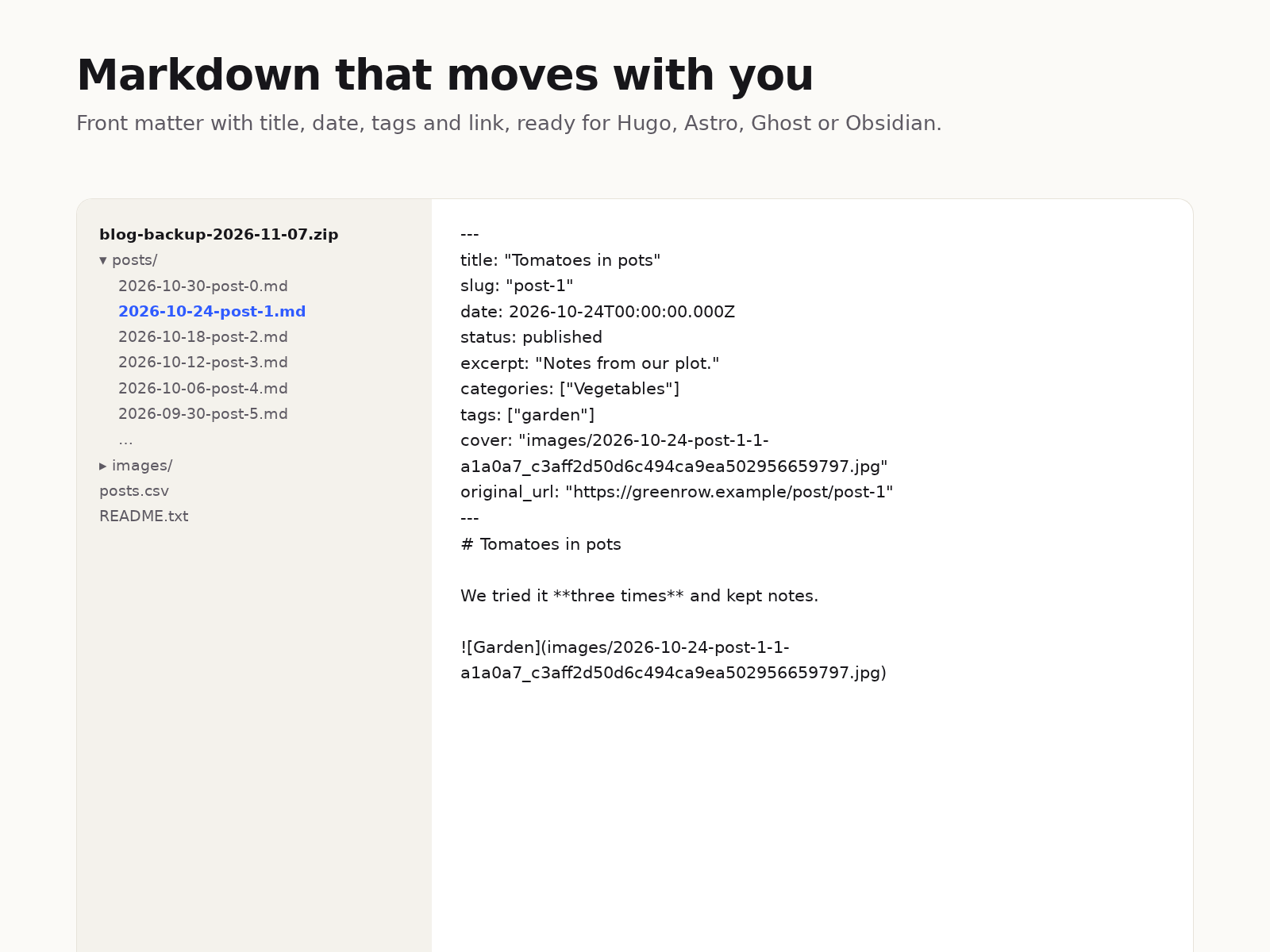
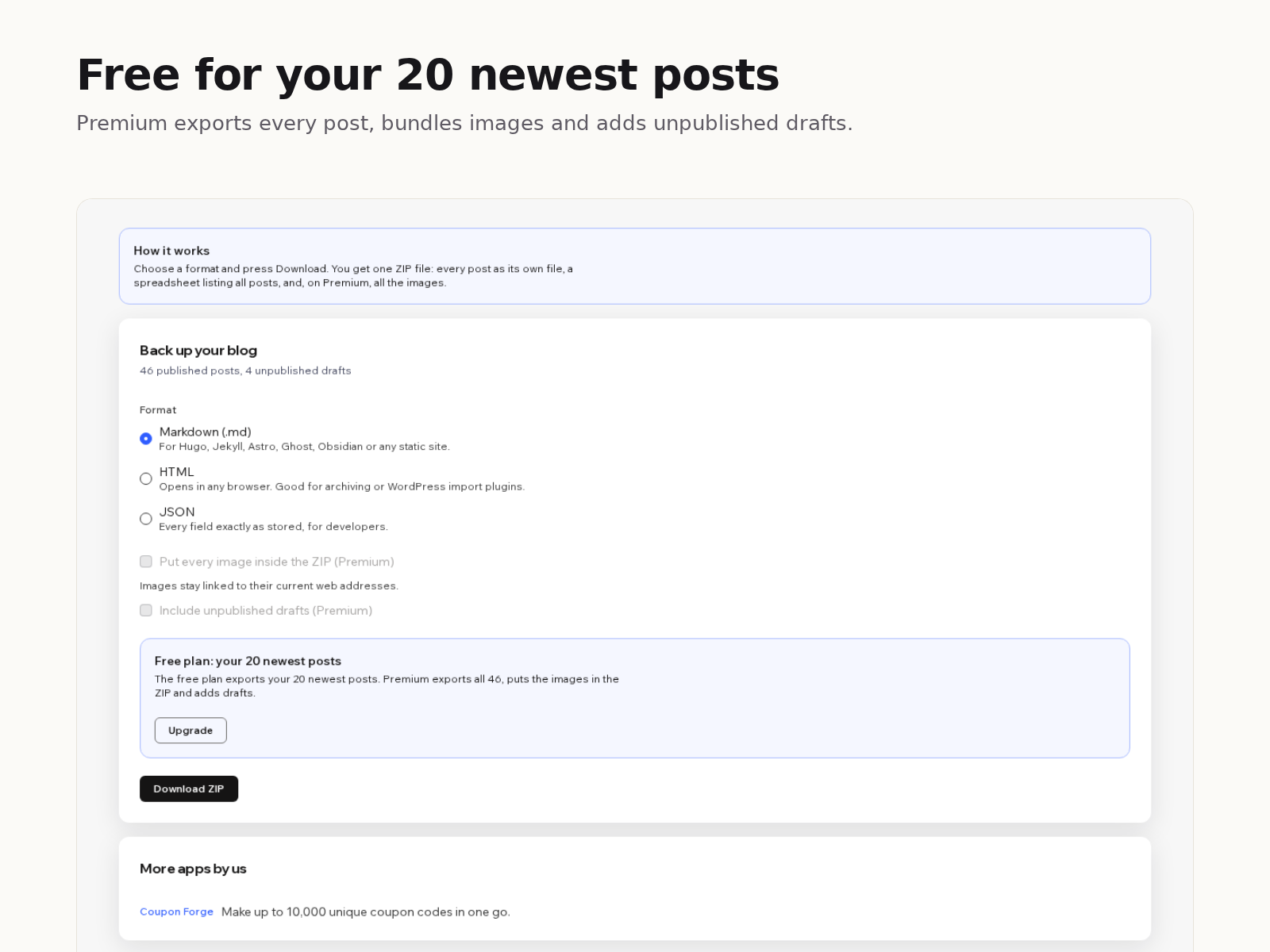
Your blog posts live inside your site, and there is no built-in button to download them. Blog Backup & Export adds one. Pick a format, press Download ZIP, and a few seconds later you have a file on your computer with every post in it. Markdown files start with front matter (title, date, slug, categories, tags, cover image and the original link), so they drop straight into most static site generators or a Markdown notes folder. HTML files open in any browser. JSON keeps every field exactly as your site stores it. Headings, lists, quotes, links, code blocks, tables and images come across as real Markdown or HTML, not as one long paragraph. The ZIP also holds posts.csv, one row per post with its title, status, dates, link, category and word count, which is handy for content audits. The free plan exports your 20 newest posts with image links left pointing at your site. Premium exports every post, puts each image in an images folder with the links rewritten to match, and adds unpublished drafts. Everything happens in your browser: the app has no server, stores nothing and sends your content nowhere.
앱 지원 국가
해당 앱은 국가와 관계없이 이용 가능합니다.
앱 언어
영어
카테고리

평점 및 후기

아직 등록된 후기가 없습니다. 가장 먼저 후기를 남겨보세요.

요금 및 플랜

Basic 플랜

무료

Your 20 newest posts
Markdown, HTML or JSON
posts.csv index and README
Image links kept as they are
Premium 플랜
$

3

00
/월
Every published post, no limit
Images inside the ZIP
Unpublished drafts
Everything in the free plan
*가격은 USD 기준입니다.

2억 3천만 명 이상의 Wix 사용자를 위한 앱을 제작 및 출시하세요.