

쇼핑카트
예약 관리
이벤트
팝업

Church Bulletin: Weekly PDFs
-
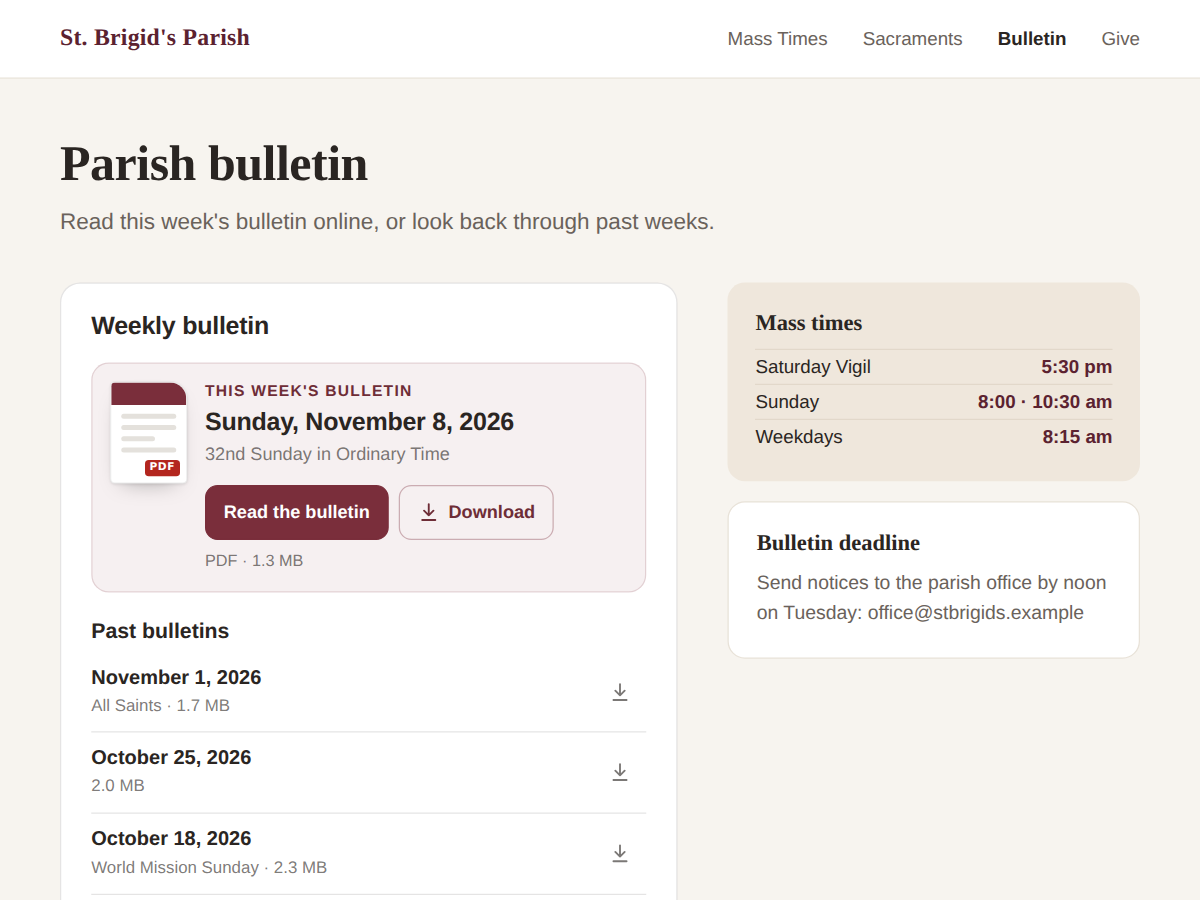
Weekly church bulletin PDFs, newest on top
후기 0개
무료 플랜 가능

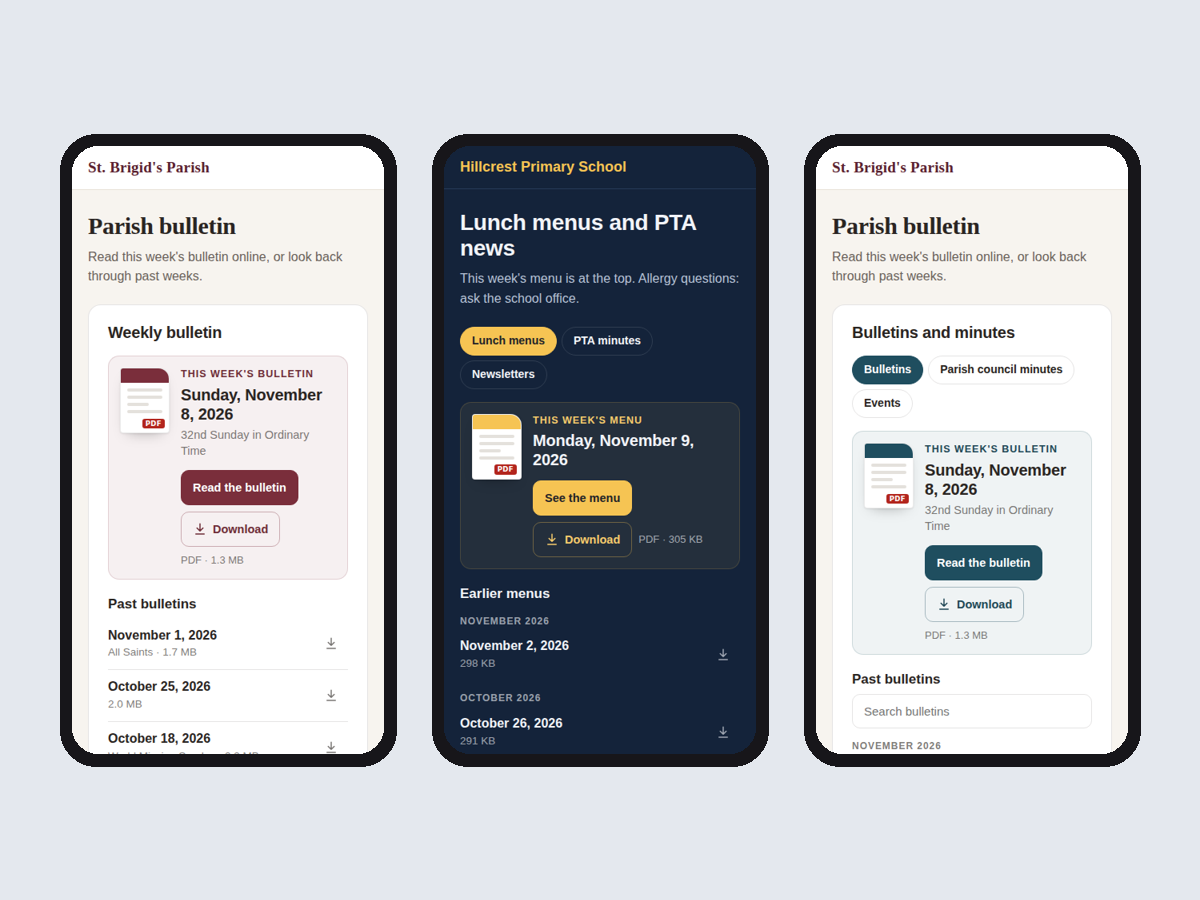
Church Bulletin: Weekly PDFs 개요
- Upload the PDF; it becomes this week's bulletin
- Past bulletins listed below, newest first
- Dates read from the file name, no typing
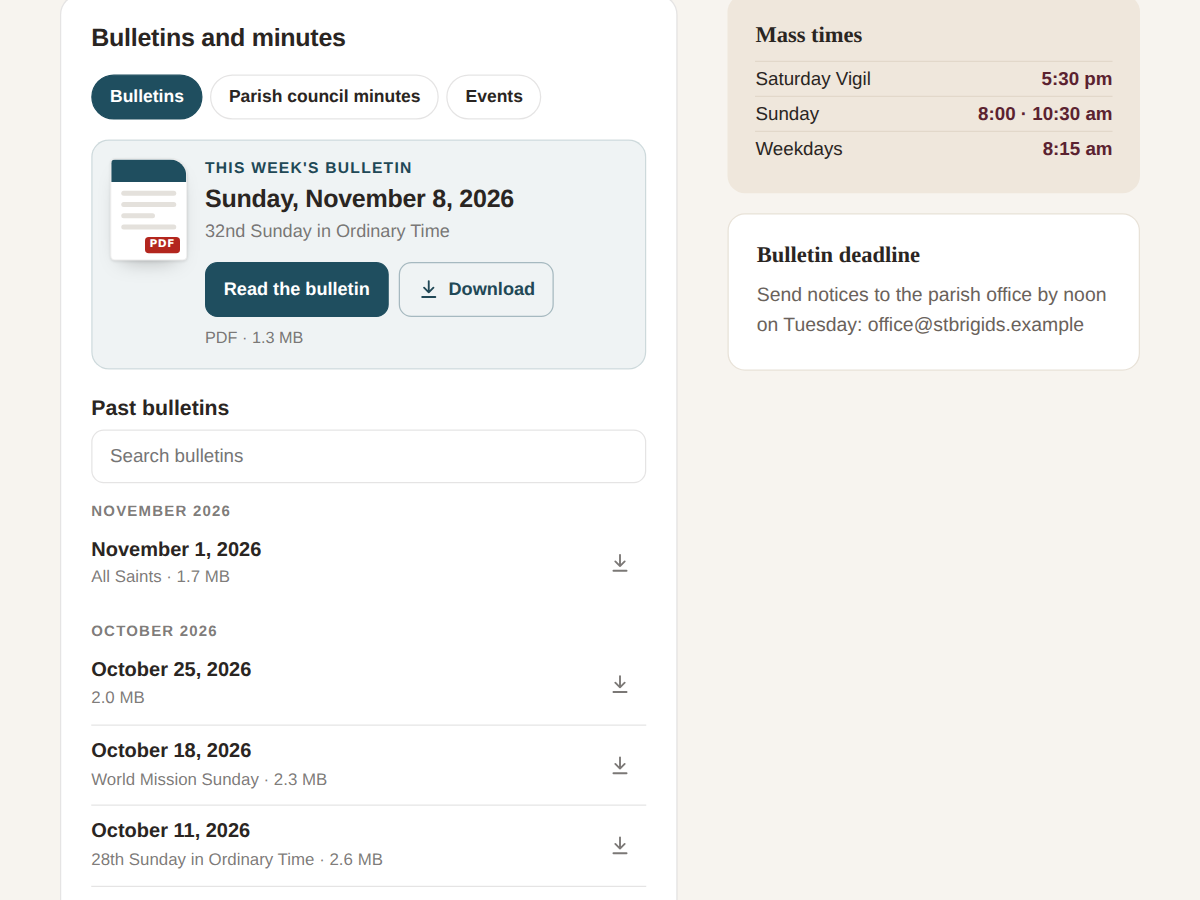
- Full archive by month, search, tabs (Premium)
평점 및 후기
아직 등록된 후기가 없습니다. 가장 먼저 후기를 남겨보세요.요금 및 플랜
Basic 플랜
무료
This week's bulletin and the last 8
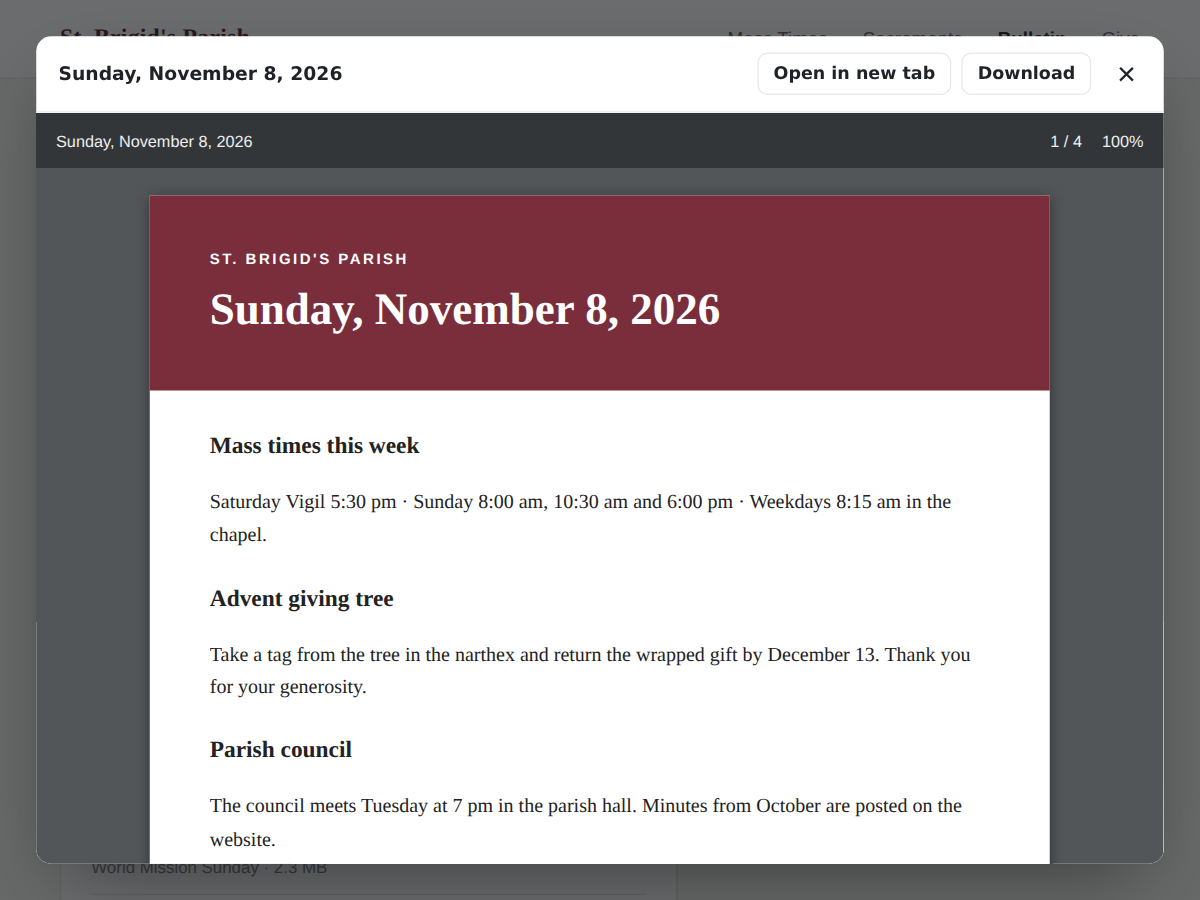
PDF reader over the page
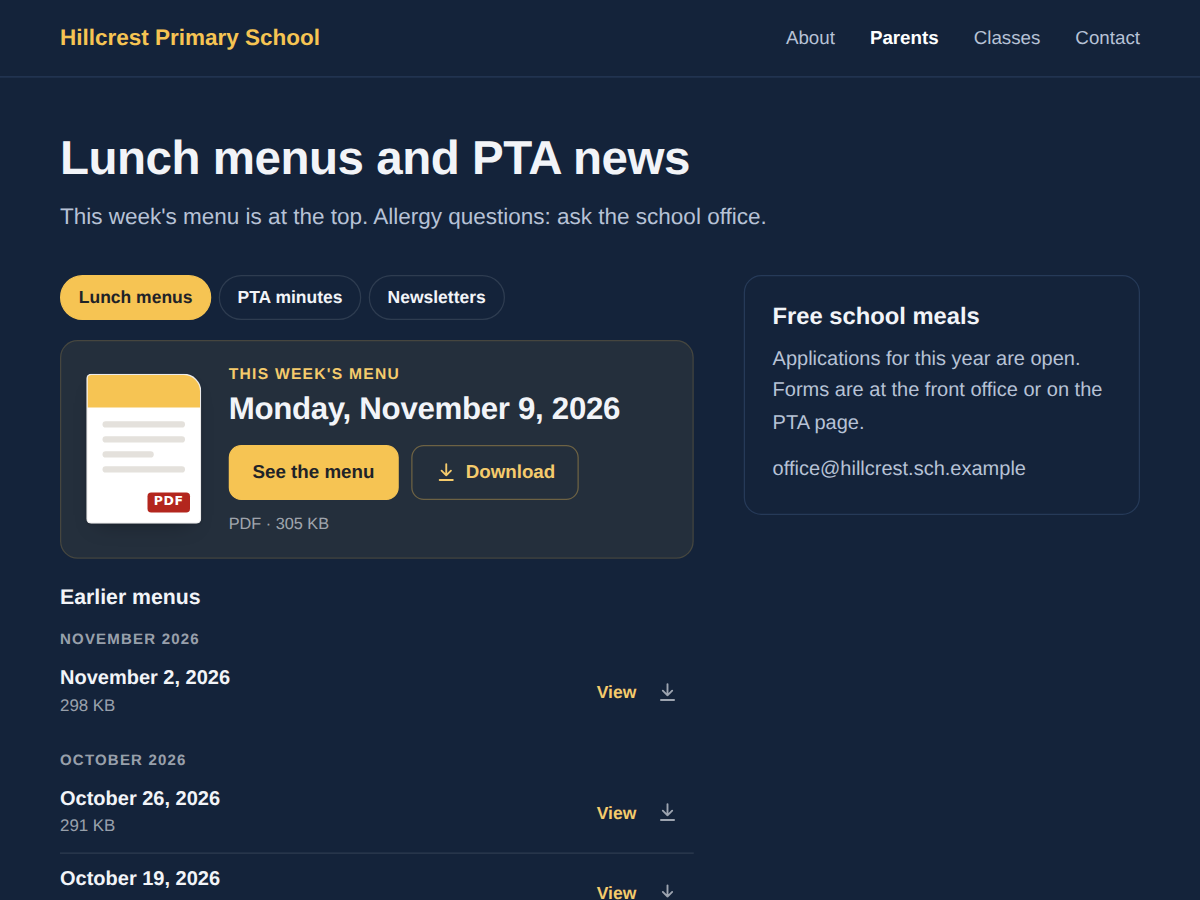
Your wording, colours and font
Small credit link
Premium 플랜
$
3
20
/월
Full archive, grouped by month
Search box for visitors
Several folders as tabs
Remove the credit link
*가격은 USD 기준입니다.